































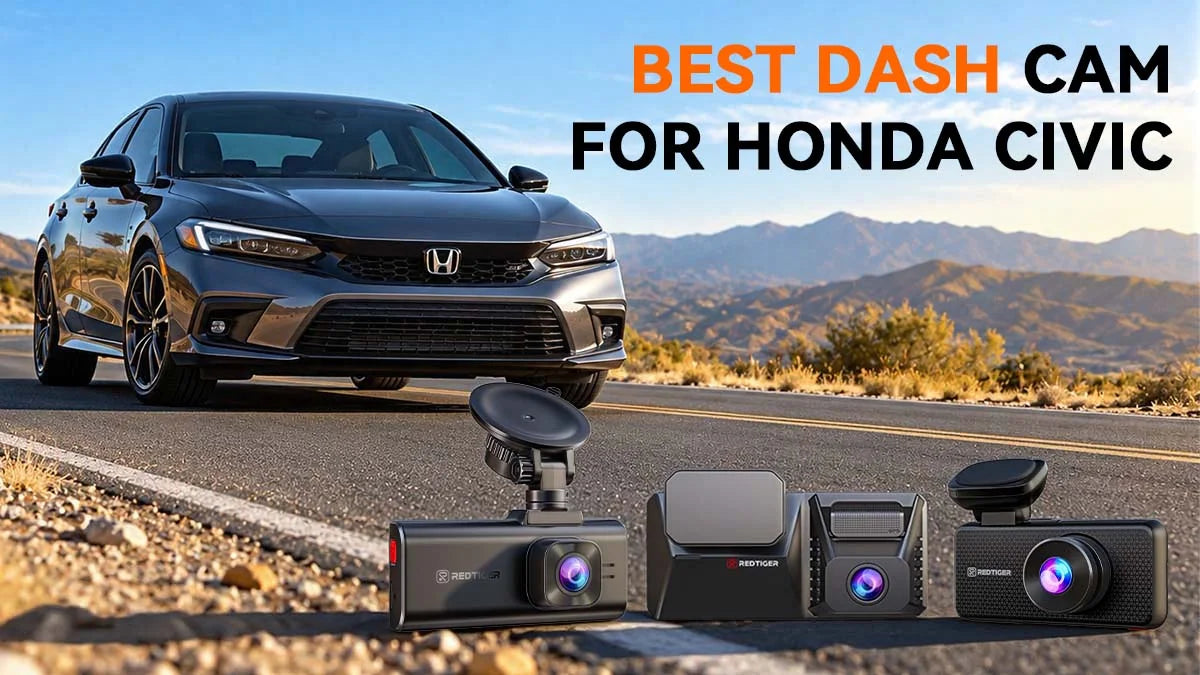
Your Civic handles daily commutes, long highway runs, and tight parking lots. That means having a dash cam can capture what's happening. And it raises the obvious question: What is the best dash cam for a Honda Civic?
The right model records clearly, works at night, and stays simple to use. This guide covers what to check before you buy. Then we'll compare three versatile REDTIGER dash cam options: the F7NA, the F77, and the F17 Elite. You will also get a step-by-step installation plan for any dash cam you choose for your Honda Civic.
What Should You Look for in the Best Dash Cam for Honda Civic?
The best dash cam for Honda Civic records both directions while capturing the plates clearly. It should also handle night driving, fit your Civic, and not block the safety camera. Storage and app control matter too. Check these, and you will narrow your choices fast.
Video Resolution and License Plate Clarity
Native 4K means the sensor captures 3840×2160 pixels, the standard to look for in a dash cam for Honda Civic. That detail helps when you read a plate or a road sign.
REDTIGER F7NA uses a Sony IMX678 sensor for its front 4K video. That said, not every "4K" camera offers native 4K, and REDTIGER labels some models as upscaled.
Front and Rear Recording Coverage
A front-only camera misses rear-end crashes and parking-lot hits from behind. So, a dash cam for Honda Civic cars should cover both sides. Rear-end collisions remain one of the most disputed incidents on US roads.
A front-and-rear dash cam for Honda Civic cars records both sides on one storage device — a microSD card on the F7NA, built-in eMMC on the F77. Rear coverage separates a good dash cam for Honda Civic from a basic one. The rear camera doesn't need its own power line.
Night Recording and Low-Light Performance
Dark roads and bright headlights challenge any lens. Any dash cam for night driving in a Honda Civic needs a strong sensor.
STARVIS 2 sensors are built for low light, and HDR keeps bright and dark areas readable. On the F7NA, HDR is applied to the front camera; rear HDR is a feature of the F77 and the F17 Elite.
App Connectivity and Ease of Use
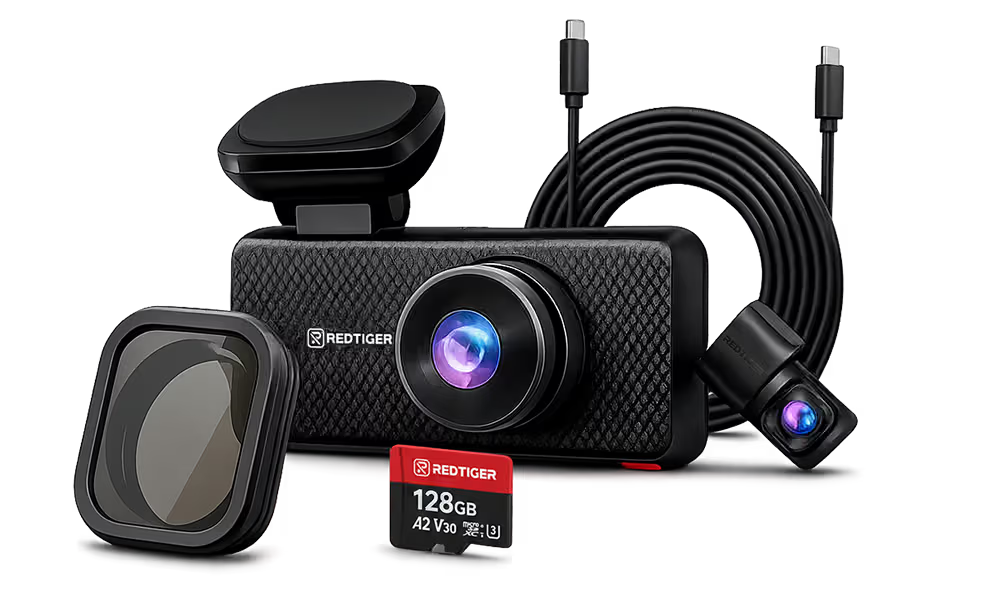
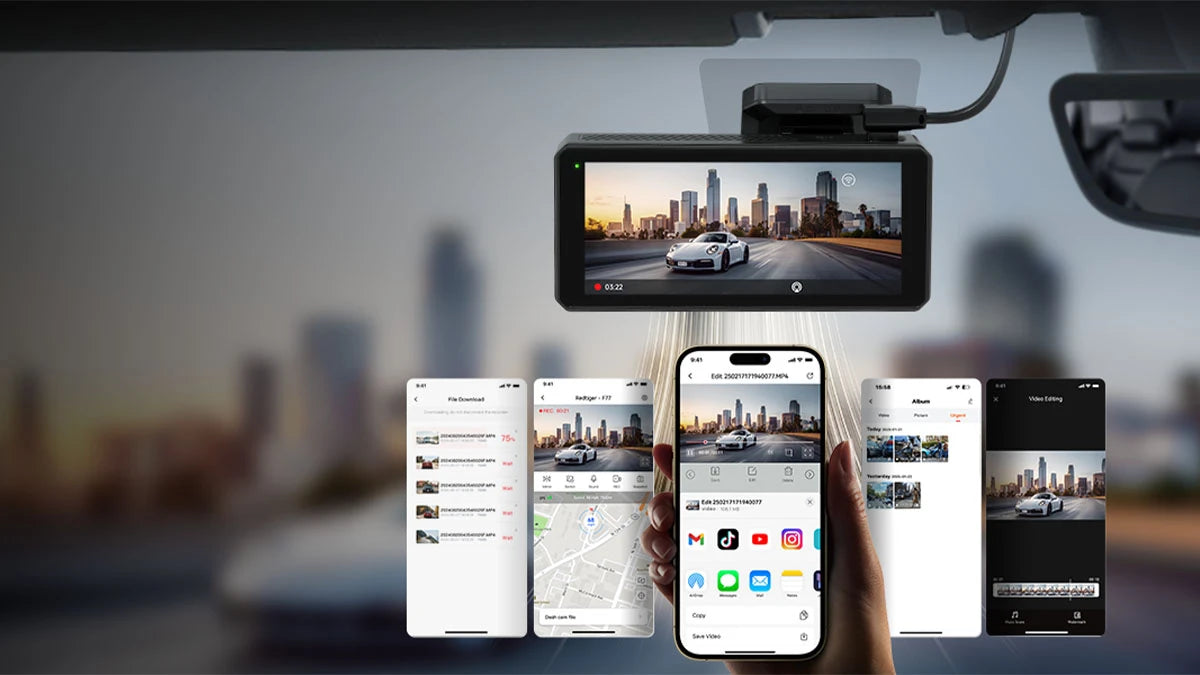
A phone app lets you review and save clips without removing the card. The REDTIGER F7NA supports 5.8GHz Wi-Fi 6, with speeds up to 20Mb/s. It also has a 3.69-inch touchscreen and voice control.
Ease of use matters right after a stressful moment. So, favor a dash cam for Honda Civic that feels simple. Trying to figure things out after an incident often creates unwanted chaos.
Storage and Parking Protection for Honda Civic
Storage determines how much footage you can keep. REDTIGER F7NA supports cards up to 512GB (not included in the box). Loop recording overwrites the oldest clips, while the G-sensor locks impact files.
Parking protection is just as important for a Civic left on the street or in a lot. REDTIGER's 24-hour parking mode needs a hardwire kit. A dash cam for Honda Civic owners who park outside should include one.
Many Civics carry a Honda Sensing camera behind the rearview mirror. Honda specifically warns against blocking its view under any circumstance. Your chosen dash cam for Honda Civic must leave that area clear.
REDTIGER F7NA: The Best Value 4K Dash Cam for Honda Civic Daily Drivers
|
Spec
|
REDTIGER F7NA
|
|
Channels
|
2 (front and rear)
|
|
Video
|
Front native 4K, rear 1080P
|
|
Front sensor
|
Sony IMX678 STARVIS 2
|
|
Wi-Fi
|
5.8GHz Wi-Fi 6, up to 20Mb/s
|
|
Display
|
3.69-inch touchscreen, voice control
|
|
Parking mode
|
24-hour, hardwire kit needed
|
Why the F7NA Is a Smart Dash Cam for Honda Civic Owners
REDTIGER F77: Dual 4K Power for Civic Si and Type R Enthusiasts
|
Spec
|
REDTIGER F77
|
|
Channels
|
2 (front and rear)
|
|
Video
|
Native 4K front and 4K rear
|
|
Sensors
|
Two Sony IMX678 STARVIS 2
|
|
Wi-Fi
|
5.8GHz, listed at 8Mb/s
|
|
Display
|
4-inch touchscreen, voice control
|
|
Storage
|
Built-in 128GB or 256GB, plus card slot
|
Why the F77 Is a Strong Dash Cam for Honda Civic Drivers
Fast driving makes rear detail matter more in a dash cam for Honda Civic enthusiasts. A tailgater is far back in the frame at highway speed, so a 4K rear camera gives you more to zoom into.
1080P rear footage works at typical following distances, but the F77 adds detail in tougher situations. Footage records to the built-in eMMC, so you do not have to swap a card on every drive, and the card slot still takes a microSD card up to 256GB for backups you copy over manually.
Its Wi-Fi is slower than the F7NA's, so clip transfers take longer. The rear camera isn't waterproof, so mount it inside the rear window. For the Civic's mirror area, the install section below covers placement.
The F77's power cable is compatible with other REDTIGER models such as the F7N series, but the F7N-series rear cameras are not compatible with the F77 host, and the F77's rear cable will not seat on the F17 Elite or the View Clear 70. Always use the cables that came in the box.
REDTIGER F17 Elite: 3-Channel Coverage for Civic Rideshare and Family Drivers
|
Spec
|
REDTIGER F17 Elite
|
|
Channels
|
3 (front, rear, cabin)
|
|
Video
|
4K front, 2.5K rear, 1080P cabin
|
|
Wi-Fi
|
5.8GHz Wi-Fi 6, up to 30Mb/s
|
|
Display
|
3-inch touchscreen, voice control
|
|
Parking
|
NiteGuard (front camera only), hardwire kit
|
Why the F17 Elite Is a Smart Dash Cam for Honda Civic Families
A cabin camera in a dash cam for Honda Civic cars records what happens inside. It helps with passenger disputes and family trips. The rear camera mounts to the rear windshield, so there's no wiring outside.
Speed helps busy drivers as well. The F17 Elite lists Wi-Fi 6 at up to 30Mb/s, the fastest of the three. However, NiteGuard works only on the front camera.
The cabin camera records full-color video at night, helping a rideshare Civic driver document a ride. Voice commands let you lock a clip without touching the screen. That makes the dash cam for Honda Civic rideshare drivers a hands-free helper.
Which RedTiger Dash Cam Is Right for Your Honda Civic?
Choose the F7NA for the best all-round value in a dash cam for Honda Civic cars. For solid 4K on both cameras, choose the F77. For cabin footage, invest in the F17 Elite.
|
Feature
|
F7NA
|
F77
|
F17 Elite
|
|
Channels
|
2
|
2
|
3
|
|
Front Video
|
Native 4K
|
Native 4K
|
4K
|
|
Rear Video
|
1080P
|
Native 4K
|
2.5K plus cabin 1080P
|
|
Wi-Fi Speed
|
Up to 20Mb/s
|
8Mb/s
|
Up to 30Mb/s
|
|
Price
|
$$
|
$$
|
$$$
|
Price isn't the only factor. REDTIGER backs orders from its official site with a total 24-month warranty and a 30-day money-back window.
Check each product page for current pricing, because sale prices change. A dash cam for a Honda Civic should fit your budget too. For instance –
1.Daily commuter on a budget: F7NA.
2.Highway driver or Si/Type R owner who wants sharp rear detail: F77.
3.Rideshare, delivery, or family Civic: F17 Elite.
How to Install a Dash Cam for Honda Civic (Step-by-Step)
Plan the mount, run the rear cable, hardwire the dash cam for Honda Civic power, then test parking mode. Most Civic owners can finish installation at home with basic tools.
Setting up a dash cam for Honda Civic models takes patience, not special skills. A tidy install keeps your view clear and your Civic's safety camera working.
Step #01: Choose Your Mounting Position
Honda's manual says the front sensor camera sits behind the rearview mirror. It also warns against attaching objects that block the camera's view. Honda Sensing Civic service documents describe the same camera location.
Mount your dash cam for Honda Civic use so it doesn't cover that area, and check your owner's manual. Clean the glass first. Also avoid covering the camera with a sunshade, since heat can shut off the sensing system.
Step #02: Route the Rear Camera Cable
The rear camera cable runs through the headliner and down the C-pillar to the rear window. Tuck it into the trim with the included clips and tool. A neat cable run keeps any Honda Civic dash cam install looking factory-clean.
Mount the rear camera inside the glass. Most Civics don't need a longer cable. However, REDTIGER still has a 33-foot option for bigger vehicles.
Step #03: Hardwire to the Fuse Box
Every dash cam for Honda Civic parking mode needs a hardwire kit connected to the fuse box. The fuse box is usually under the dashboard or inside the glove box. Check your Civic's manual for the exact spot.
You will need a fuse tap and a circuit tester to find a constant fuse and an ignition-switched fuse. If fuse work feels risky, ask a shop to help. Now connect the kit.
Step #04: Connect the Hardwire Kit
Follow the REDTIGER color guide: red to the ACC fuse, yellow to the constant fuse, and black to a metal chassis bolt. Always follow the wiring sheet that came with your kit.
The kit includes low-voltage protection: REDTIGER states it cuts off power 60 seconds after the voltage drops below 11.8V (±0.2), which protects your Civic's battery when the car sits parked. Always follow the wiring sheet that came with your kit.
Step #05: Test Parking Mode
Turn on parking mode in your dash cam's Honda Civic menu, then turn off the car. Then check that the camera stays powered and starts recording when you tap or bump it.
Review the clip in the app to confirm both cameras work. Then your Honda Civic dash cam is ready to go. However, parking monitoring doesn't work on a standard 12V plug.
Conclusion
The best dash cam for Honda Civic depends on how you drive. Each REDTIGER pick above fits a different driver. The F7NA fits most daily drivers, while the F77 gives 4K on both ends. Meanwhile, the F17 Elite adds a cabin camera.
Choosing the best dash cam for a Honda Civic means protecting your car. Evaluate your driving habits and needs to compare the available options. Balance the required specs with your budget to find the best dash cam for you.


Frequently Asked Questions (FAQs)
What is the best dash cam for a Honda Civic?
For most owners, the REDTIGER F7NA is the best dash cam for Honda Civic. It offers native 4K up front, 1080P in the back, and 24-hour parking mode. Consider the F77 or F17 Elite if you have special requirements.
Is a front and rear dash cam worth it for a Honda Civic?
Yes. A front-and-rear dash cam is worth it for most Honda Civic owners. A front-only camera misses incidents from behind, including rear-end collisions and parking-lot hits. A front-and-rear model records both directions on one card.
Can I use a dash cam while my Honda Civic is parked?
Yes. A dash cam for Honda Civic can record while parked with a hardwire kit. Parking mode requires a connection to the fuse box.
Which REDTIGER dash cam is best for front-and-rear recording?
The F7NA is the best value dash cam for front-and-rear recording on a Honda Civic. For 4K on both cameras, choose the F77. For a third, in-cabin camera, choose the F17 Elite.

Leave a comment
All comments are moderated before being published.
This site is protected by hCaptcha and the hCaptcha Privacy Policy and Terms of Service apply.