































Find Your Answer
Dash Cam Basics
A dash cam is a camera installed in a vehicle to continuously record the road or cabin while driving. The footage can provide useful evidence after accidents, disputes, or other unexpected events.
A dash cam typically powers on with the vehicle and records continuously in a loop. Video is stored on a memory card, and older normal recordings are usually overwritten when the card becomes full.
A dash cam is often worth considering if you want video evidence for accidents, road incidents, or added protection while parked. Its value depends on how often you drive, where you park, and which features you need.
A dash cam usually records continuously while the vehicle is powered. Recording after the engine is turned off depends on parking-mode support and whether the camera has an appropriate continuous power source.
Most dash cams do not need internet access for basic recording. Wi-Fi is commonly used for local phone-to-camera connections, while LTE or cloud features may require a mobile or internet connection.
REDTIGER dash cams include a microphone and can record audio, which can usually be disabled in the settings. Availability and controls vary by model.
Dash cam footage can help document how an incident occurred, but whether it is accepted by insurers, police, or courts depends on local laws, footage integrity, and the circumstances of the case.
Dash cams are legal in many places, but rules for mounting, audio recording, privacy, and footage use vary by location. Check the laws in your state, country, or region before installation and use.
When installed correctly, a dash cam should be positioned to minimize obstruction of the driver's view, often near the rearview mirror. The mounting location should also comply with local windshield-device laws.
Dash cams are designed for vehicle use and commonly support automatic startup, loop recording, G-sensor events, GPS, or parking mode. Action cameras focus more on portable filming and usually lack the same vehicle-specific recording workflow.
Choosing a Dash Cam
Find Out What Kind of Dash Cam You Need
Compare channel count, resolution, night performance, parking mode, GPS, Wi-Fi, storage support, and installation requirements. Start with the coverage and driving scenario you need most, then compare features.
The main difference is the number of cameras recording at the same time. A 1-channel setup typically records the front, 2-channel commonly covers front and rear, 3-channel adds another view such as the cabin, and 4-channel expands overall coverage further.
A 2-channel dash cam is a good fit for drivers who want to record both the front and rear of the vehicle. It offers balanced coverage for commuting, family vehicles, and everyday driving.
A 3-channel dash cam is useful for drivers who want an additional cabin view, including rideshare and taxi drivers or anyone who wants front, rear, and interior coverage.
A 4-channel system can be valuable when you need broader multi-angle coverage than a standard front-and-rear setup. Whether it is worth it depends on vehicle size, parking conditions, professional driving needs, and installation complexity.
4K can provide more image detail for license plates, road signs, and other objects, but real-world clarity also depends on the sensor, lens, bitrate, lighting, and motion. Resolution should not be the only buying factor.
For night driving, pay attention to the image sensor, lens light intake, HDR/WDR, night performance, and real sample footage rather than resolution alone. Strong low-light performance is often more important than pixel count.
For family vehicles, front-and-rear coverage, easy installation, reliable recording, parking mode, and convenient phone access are useful priorities. A multi-channel setup with a cabin camera can make sense if interior recording is also important.
Rideshare and taxi drivers often benefit from 3-channel or 4-channel systems because cabin recording may be useful in addition to front and rear coverage. Check local privacy and audio-recording laws before use.
For larger vehicles, focus on rear-camera cable length, mounting locations, viewing coverage, and power requirements. Multi-channel systems can be useful, but cable and accessory compatibility should be confirmed first.
Touchscreens can be more intuitive, while physical buttons are simple and less prone to accidental touches. The control style does not determine recording quality, so choose based on usability and mounting position.
Commonly overlooked details include memory-card requirements, parking-mode power, rear-camera cable length, phone compatibility, and mounting space. Checking these before purchase can prevent accessory or feature compatibility issues.
Video & Recording
Questions About Dash Cam Videos and Recording
These terms mainly describe video resolution. Higher resolution can capture more detail but also creates larger files. Actual image quality also depends on the sensor, lens, bitrate, compression, and lighting.
Not always. 4K provides more pixels, but a weaker sensor, lens, bitrate, or night-processing system can reduce real-world clarity. Compare sample footage and the full imaging system, not resolution alone.
HDR and WDR help balance scenes with strong contrast, such as headlights at night, tunnel exits, or backlighting. They can preserve more highlight and shadow detail, although performance varies by camera.
Sony STARVIS sensor technology is designed to improve low-light imaging and can help with night footage. Final performance still depends on the lens, exposure, image processing, and the complete camera system.
A good dash cam may capture readable plates at night under favorable distance, speed, and lighting conditions, but no camera can guarantee clear plates in every situation. Motion, glare, angle, and weather all affect the result.
Loop recording saves video in a series of short files. When the memory card becomes full, the dash cam usually overwrites the oldest normal recordings so it can continue recording.
A G-sensor detects sudden acceleration, deceleration, or impact and can trigger event-file protection. If sensitivity is set too high, normal bumps may create more protected files than necessary.
Event or emergency files are generally protected from normal loop overwriting. However, too many protected files can still consume storage, so it is a good idea to review and back up important footage regularly.
Common loop lengths are 1, 3, or 5 minutes. Short clips are easier to manage and transfer, while longer clips create fewer files. Either can work well as long as continuous loop recording is functioning properly.
Frame rate affects motion smoothness and how moving objects are captured. Higher frame rates can help in fast scenes but may increase file size or affect low-light performance, so consider frame rate together with resolution and night quality.
Screen brightness, HDR support, color management, and video decoding can make the same footage look different across devices. Review the original file with a compatible player before judging image quality.
REDTIGER dash cams can record audio and display date, time, speed, or GPS-related stamps, but the available overlays vary by model. Some can be enabled or disabled in the settings.
Parking Mode
Questions Regarding Parking Monitoring on the REDTIGER Dash Cam
Parking mode allows a compatible dash cam to monitor the vehicle after the engine is turned off. Depending on the camera, it may use impact detection, motion detection, time-lapse recording, or other modes.
Only if the dash cam supports parking mode and still receives an appropriate power supply after the vehicle is turned off. Many standard accessory sockets lose power with the ignition.
A hardwire kit is one of the most common ways to power parking mode, but some systems may support an OBD cable or another dedicated power solution. Use the power method approved for your camera and vehicle.
Long-duration parking recording is possible with compatible equipment and proper power, but runtime is not fixed. Vehicle battery condition, camera power draw, parking mode, temperature, and low-voltage cutoff settings all affect how long it can operate.
Parking mode uses vehicle power, so a compatible power kit with low-voltage protection is recommended. The cutoff can stop powering the dash cam when battery voltage reaches a selected threshold, reducing the risk of a no-start condition.
Time-lapse parking mode captures frames at a reduced rate and combines them into video, allowing longer monitoring periods with lower storage use than standard continuous recording. Power consumption still depends on the camera.
Impact-detection parking mode uses the G-sensor to detect a shock to the vehicle and save an event recording. Trigger behavior, clip duration, and sensitivity vary by camera.
Motion-detection parking mode starts or saves recording when the camera detects movement or scene changes. It can trigger frequently in busy areas, so sensitivity and mode selection should match the parking environment.
The number of active cameras during parking mode depends on the dash cam design and selected parking mode. Check the specifications and manual for the exact setup you are using.
Common causes include no ignition-off power, incorrect hardwire connections, parking mode being disabled, low-voltage protection activating, or incompatible accessories. Check power, settings, and connections in that order.
For vehicles parked for several days or longer, consider battery condition and the power setup. A conservative low-voltage cutoff, shorter monitoring period, or dedicated battery solution may be more appropriate.
Parking mode creates frequent write cycles, so a high-endurance memory card that meets the camera's speed and capacity requirements is generally a good choice. Supported capacity and formatting vary by device.
Storage & Memory Cards
Use a high-quality microSD card that meets the dash cam's speed, capacity, and endurance requirements. Because dash cams write continuously, high-endurance cards are generally better suited than standard consumer cards.
Maximum supported capacity varies by dash cam. Check the product page or manual before purchasing a card so you do not exceed the camera's supported storage range.
Larger cards generally store more footage. Smaller capacities can work for short daily driving, while long trips, multi-channel recording, 4K video, and parking mode benefit from larger cards if the dash cam supports them.
Common causes include an incompatible card, card wear, file-system problems, insufficient write speed, or the need for formatting. Back up important footage first, then format the card as instructed or replace it with a compatible card.
Periodic formatting can help reduce file-system issues caused by continuous loop recording. The ideal frequency depends on usage, and important footage should always be backed up before formatting.
Storage can fill quickly if many event files are locked, loop overwriting is not working, or high-resolution multi-channel recording is being used. Check protected files, loop settings, and card capacity.
Recording time depends on card capacity, resolution, frame rate, bitrate, number of active cameras, and audio settings. Multi-channel 4K recording uses storage faster than lower-resolution single-channel recording.
With loop recording working normally, the dash cam should overwrite the oldest regular footage and continue recording. Too many locked files or a card problem can still prevent normal recording.
Yes, but make sure the card remains properly recognized afterward. If recording or card-detection issues occur, back up important files and reformat the card in the dash cam as instructed.
Dash cams continuously write and overwrite data, creating much heavier write cycles than normal photo storage. High-endurance cards are designed for continuous recording and are generally better suited for long-term use.
GPS & Driving Data
GPS can record driving information such as location, route, time, or speed, depending on the dash cam. It does not replace vehicle navigation; it mainly adds driving data to recorded footage.
GPS positioning itself generally does not require internet access because it receives satellite signals. A phone app or desktop map view may still need internet access to load map data.
Underground parking, tall buildings, tunnels, metallic windshield films, and mounting position can weaken satellite reception. Move the vehicle to an open area and allow time for the camera to acquire a signal.
Some GPS-enabled dash cams can display speed in the video or compatible player, and some allow the speed stamp to be disabled. Availability and display options vary by model.
GPS speed is calculated from satellite positioning and may differ slightly from the vehicle's speedometer. Signal quality, sampling rate, and surroundings can affect the reading.
GPS-enabled dash cams can often display routes and related data in a compatible mobile app or desktop player. Use the software and instructions recommended for your camera.
Standard GPS dash cams usually store GPS data locally with the video on the memory card. Cloud storage or remote data transmission is only available on products that specifically support cloud or LTE features.
Some dash cams allow GPS, speed stamps, or related displays to be disabled, but options vary by model. If privacy or local regulations are a concern, review both the settings and applicable laws.
Wi-Fi & REDTIGER App
Dash cam Wi-Fi usually creates a direct connection between the camera and your phone so you can view live video, change settings, and browse or download footage. It normally does not provide internet access.
This is normal because the phone is connected to the dash cam's local Wi-Fi for data transfer, not internet access. Stay connected to the dash cam Wi-Fi and open the compatible app.
Turn on Wi-Fi on the dash cam, connect your phone to the camera's Wi-Fi network, and then open the REDTIGER app. Network names, passwords, and button steps can vary by model.
Common causes include dash cam Wi-Fi being off, the phone using another network, missing local-network or location permissions, or being too far from the camera. Reconnect to the camera Wi-Fi and review app permissions.
Standard local-Wi-Fi dash cams usually require you to be near the vehicle and do not support internet-based remote viewing. Remote access requires a product that specifically supports LTE, cloud connectivity, or remote features.
Your phone may switch away because the dash cam network has no internet access. Temporarily disable smart network switching, auto-join alternatives, or mobile-data assistance and stay connected to the dash cam network.
App-compatible dash cams generally allow selected videos to be downloaded to a phone. High-resolution files are large, so transfer speed depends on Wi-Fi capability, file size, and phone performance.
Faster Wi-Fi standards can improve short-range video transfer speeds, but real performance also depends on the camera, phone, distance, and wireless environment. Wi-Fi speed does not directly improve recording quality.
REDTIGER provides a mobile app, but device, operating-system, and feature compatibility can change. Check the current App Store or Google Play requirements and your dash cam documentation.
Some phone operating systems require local-network, Bluetooth, or location permissions to discover or connect to nearby Wi-Fi devices. The exact permissions depend on the phone OS and app version.
Installation & Power
A dash cam is usually best mounted near the rearview mirror where it does not significantly block the driver's view. Make sure the lens is not obstructed by tint, trim, or wiper blind spots and follow local windshield-mounting laws.
Rear-camera placement depends on the camera type and vehicle design. Interior rear cameras are commonly mounted near the rear window, while external rear cameras require attention to weather protection, viewing angle, and cable routing.
Basic plug-in dash cams are often suitable for DIY installation. Parking-mode setups involving fuse boxes, ACC, constant power, or OBD wiring are more complex, so professional installation is recommended if you are not comfortable with vehicle electronics.
REDTIGER dash cams can run from a vehicle's cigarette-lighter or accessory socket. Whether that socket stays powered after ignition-off depends on the vehicle, so it may not support parking mode.
It may work if the USB port provides the required stable voltage and current and uses the correct connector. Some vehicle USB ports do not provide enough power or turn off with the ignition, so check the camera's power requirements.
A hardwire kit connects a dash cam to the vehicle fuse box or another approved power point. It is commonly used for a cleaner installation and parking mode, and compatibility with the camera and vehicle must be confirmed first.
ACC power typically switches with the vehicle ignition, while constant B+ power remains available after the vehicle is turned off. Parking-mode hardwire installations often need both circuits to identify driving and parked states.
Low-voltage protection monitors the vehicle battery and cuts power to the dash cam when voltage reaches a selected threshold, reducing the risk that parking mode drains the battery too far to start the vehicle.
Do not splice random cables. Check vehicle size, the supplied cable length, and whether a compatible extension cable is available, because an incorrect cable can affect power or video signal quality.
Cables can often be routed along the headliner, trim edges, and door seals, but they must stay clear of airbag deployment paths, moving parts, and high-heat areas. Professional installation is recommended for complex vehicles.
Support for 12V or 24V systems depends on the dash cam power adapter and hardwire kit input range. Check the accessory voltage specifications before using it in cars, trucks, or commercial vehicles.
Requirements vary by vehicle manufacturer, lease agreement, and insurance policy. REDTIGER recommends professional installation for users without automotive-electronics experience and checking warranty or insurance terms if you have concerns.
Accessories & Compatibility
Check the connector type, power specification, cable length, and the compatibility information listed on the product page. Do not assume accessories are interchangeable just because they look similar.
Not necessarily. REDTIGER offers different connector and power options, including fuse-box and OBD solutions. Confirm the dash cam connector and vehicle power method before purchasing.
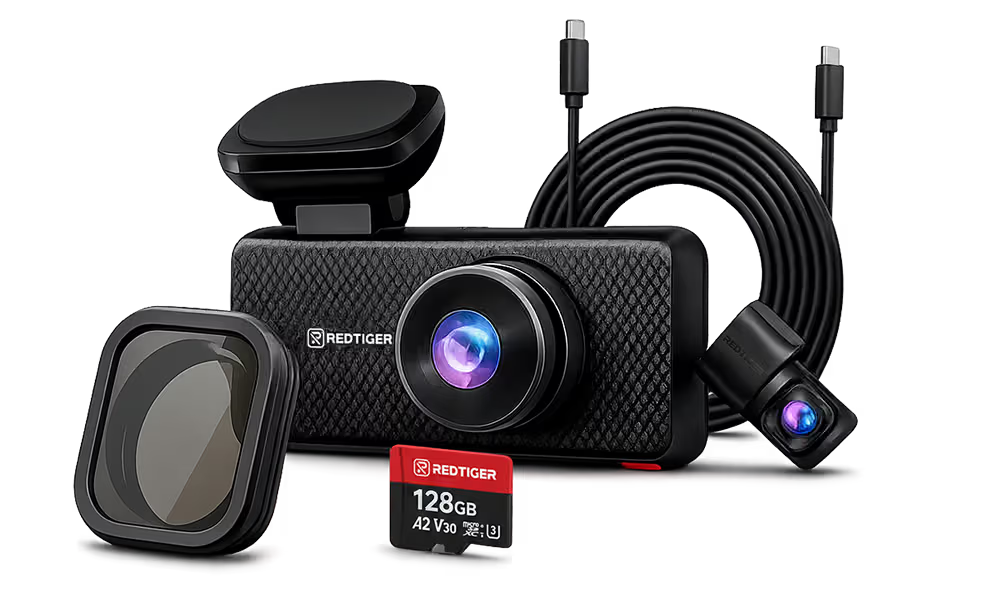
A CPL polarizing filter can reduce windshield and dashboard reflections and improve visibility in some daytime scenes. It also reduces some incoming light, so night performance can vary by environment.
Not necessarily, but the card must meet the dash cam's supported capacity, speed, and endurance requirements. Using a verified compatible card can reduce recording interruptions and card errors.
Only consider one if the connector, output voltage, current, parking-mode trigger logic, and low-voltage protection are confirmed compatible. An incorrect power accessory can cause malfunction or electrical problems.
An extension cable may be needed when the supplied cable cannot reach the rear camera mounting point through a safe routing path. Measure the actual cable route rather than only the vehicle's straight-line length.
Suction mounts are generally easier to reuse, while adhesive mounts may require a replacement adhesive pad after removal. Clean the glass and confirm the mount is secure before reinstalling.
It is not recommended. Even if connectors look similar, voltage, current, pin configuration, and parking-mode signaling can differ. Use a cable and adapter confirmed compatible with the dash cam.
Check windshield and rear-window mounting space, cable-routing paths, vehicle length, power locations, and any special body design. Larger SUVs, pickups, and liftgate vehicles especially need cable-length planning.
Most dash cams can be moved to another vehicle, but you may need new adhesive pads, mounts, cables, or a hardwire kit. Recheck mounting position and vehicle power compatibility before reinstalling.
Firmware & Software
Firmware is the software that runs inside the dash cam and controls recording, menus, connectivity, and hardware functions. Updates may fix issues, improve compatibility, or refine features.
Update when an official firmware release is available for your exact model and hardware version or when support specifically recommends it. Do not install firmware that is not confirmed compatible.
Yes. Back up important footage and prepare the memory card according to the official instructions. Some update processes require formatting the card or placing a firmware file in the root directory.
No. Power loss during an update can interrupt firmware writing and may prevent the dash cam from starting correctly. Use a stable power source and wait until the update is fully complete.
Match the dash cam model, connector or hardware version, and use the firmware provided on the official REDTIGER firmware page or by support. Never install firmware from another model just because the filename looks similar.
Do not repeatedly try unrelated firmware files. Keep the camera on stable power, verify the memory card and firmware file, follow the official recovery steps, and contact support if the camera will not start.
Use a compatible player that supports the video format and recorded GPS data. REDTIGER provides a player resource on its website, and available functions depend on the data recorded by your camera.
No. App updates happen on your phone and affect the connection and user interface, while firmware updates happen inside the dash cam and affect camera operation. They are separate update processes.
Orders, Shipping & Warranty
Delivery time depends on destination, inventory, and shipping method. REDTIGER currently states that U.S. orders typically arrive about 2–7 business days after payment and Canada orders about 3–9 business days; checkout and tracking information should be treated as the final reference.
REDTIGER currently states that orders over $50 qualify for free shipping and orders under $50 generally have an $8 shipping fee. Regional rules or promotions can change, so the checkout page is the final reference.
Yes. Tracking information is generally provided after the order ships, and you can check package status through REDTIGER's order-tracking page or your shipping notification.
REDTIGER currently offers a 30-day money-back guarantee. Eligibility, product condition, fees, and the exact return process are governed by the latest Return & Refund Policy.
REDTIGER currently states that dash cams ordered through the official website receive a total 24-month warranty, including an additional 6-month extension. Terms may differ by sales channel or product, so check the current Warranty Policy and your order details.
Warranty length and claim procedures can differ by sales channel. Keep your proof of purchase and check the REDTIGER warranty terms for the platform where you purchased, or contact support for confirmation.
You will generally need an order number or proof of purchase, product information, and a description of the issue. Photos or videos may also be requested for technical problems to help support assess the claim.
Keep the product, packaging, and shipping label and contact REDTIGER support promptly with your order number and photos of the damaged or incorrect item. Do not discard packaging until the resolution is confirmed.
REDTIGER provides a 24/7 support channel and lists Support@redtigercam.com along with a customer-service phone number. Check the current Contact Us or Help Center page for the latest phone service hours.
Yes. Before contacting support, prepare your vehicle type, required camera coverage, parking-mode needs, connector type, and accessory questions. This makes it easier to confirm the right product category and installation setup.