






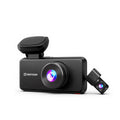
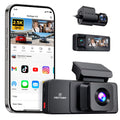

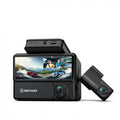















Your Silverado lives in high-risk places, like highways, job sites, trailer hookups, and crowded lots. A Silverado dash cam can record the road ahead, watch the lane behind you, handle dark roads, and keep guard when you park.
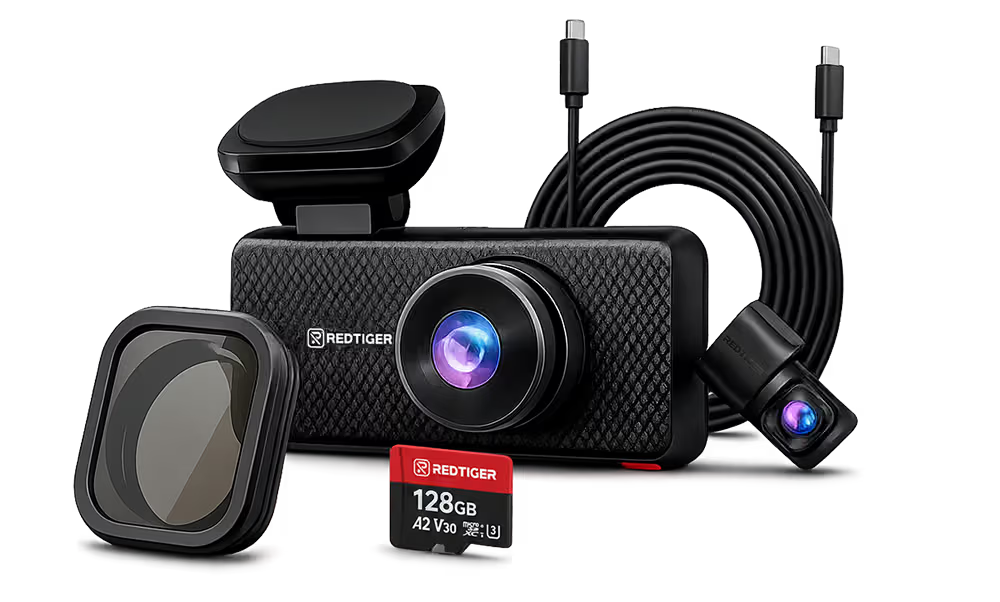
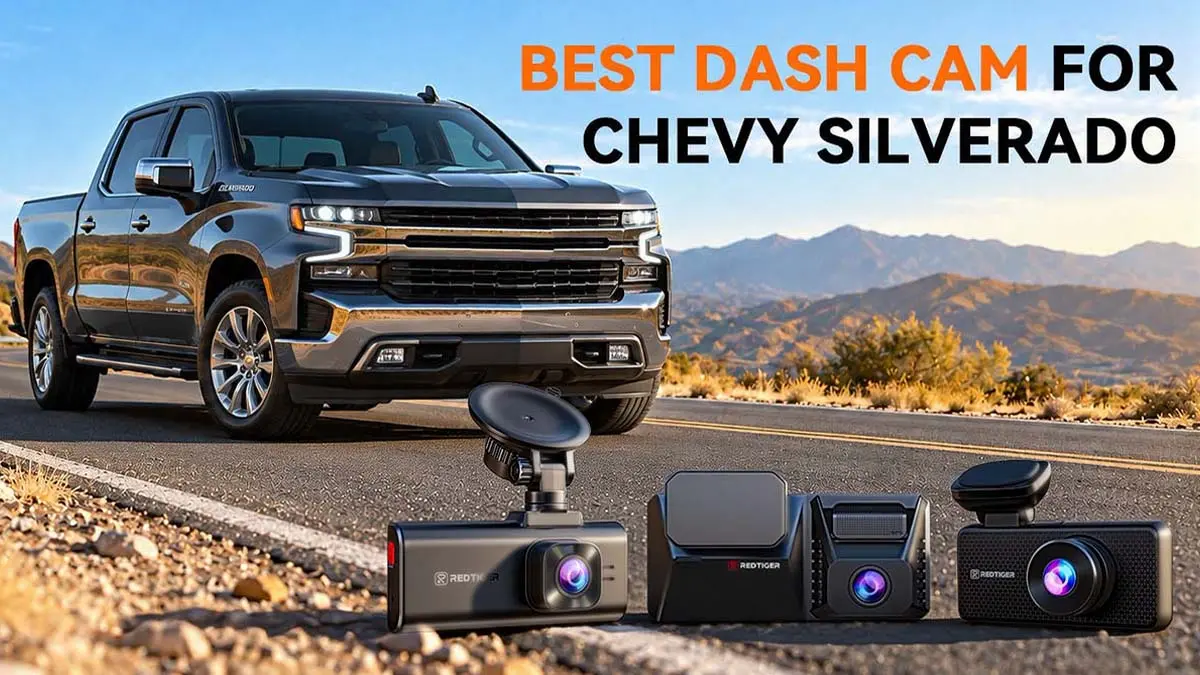
The chosen one should also fit your cab without crowding the factory camera near the mirror. Multiple dash cams from REDTIGER can give you peace of mind. For most, the REDTIGER F77 is the strongest all-around choice with 4K recording on both the front and rear cameras.
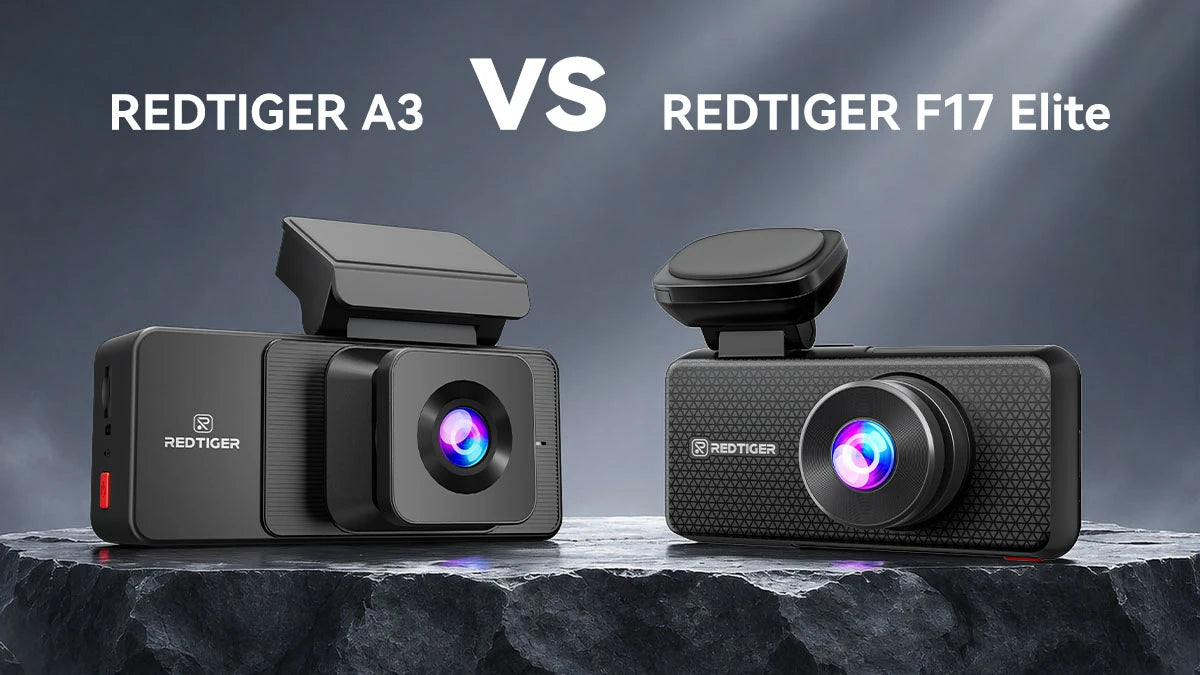
The F7NA is the practical pick for everyday driving, whereas the F17 Elite adds a cabin camera for work trucks and crews. This article explains each model and matches them to the Chevy Silverado 1500, 2500HD, and 3500HD.
Why Does a Chevy Silverado Need a Dash Cam?
Most American Silverado trucks live long hours on highways, sites, hookups, and lots. A dash cam can get video proof and keep an eye on your ride almost anywhere.
Given the truck's value, it's a notable target for theft across the US. The NICB ranked the Silverado 1500 fourth on its 2025 most-stolen list, with 16,764 thefts.
Protect Your Silverado During Daily Driving and Highway Trips
A sudden lane change during daily commutes can turn into a blame game. Clear video ends these issues fast. A good dash cam for Chevy Silverado also stamps speed and location.
The REDTIGER F77, for example, includes built-in GPS. That means the recorded footage comes with real-time stats. It also includes 128GB of built-in storage so that you can skip memory cards.
Record Evidence for Work Trucks and Commercial Driving
Work trucks face a different problem: legal disputes. A customer might say you scraped a gate. Or, a driver could say the other party ran the light. Your footage can settle it immediately.
A three-channel model such as the F17 Elite records front, rear, and cabin views. You can show what happened outside and inside the truck. It supports cards up to 512GB for long shifts.
Add Protection When Towing Trailers or Hauling Cargo
Towing adds blind spots and longer stopping distances. A dash cam won't fix those, but it records what happens around you. Chevrolet's own trailering cameras do a different job.
They help you see, and Transparent Trailer View needs an accessory camera on the trailer. That said, think of Chevrolet's system as your eyes and a dash cam as your witness.
What Type of Dash Cam Is Best for a Chevy Silverado?
A dual-channel 4K model fits most Silverado owners. It can record both the road ahead and the traffic behind.
Choose a three-channel unit if people or equipment ride in the cab. Choose single-channel only if you're on a tight budget.
Single-Channel vs. Dual-Channel vs. Three-Channel Dash Cams
- Single-channel: one front camera, lowest cost, no view behind you.
- Dual-channel: front and rear cameras, ideal for rear-end hits and backing incidents.
- Three-channel: front, rear, and cabin cameras, built for crews and rideshare-style use.
Resolution comes first to help you decide. Each step up adds coverage and wiring.
Why Choose a 4K Front and Rear Dash Cam?
A 4K front and rear dash cam captures more detail in both directions. 4K means 3840 × 2160 pixels, the full output of Sony's 8.29-megapixel IMX678 sensor. That extra detail helps when you need to read a plate or a road sign.
Many Silverado incidents happen from behind. The F77 pairs two IMX678 sensors for 4K front and rear. However, some REDTIGER models offer upscaled 4K (uses interpolation). The F7NA's IMX678 records native 4K.
When Should Silverado Owners Choose a Three-Channel Dash Cam?
Go three-channel if you carry passengers, tools, or sensitive equipment in the cab. Work-truck owners also gain interior proof of who drove and what happened. Still, an interior camera does not replace a truck-bed or trailer camera.
As mentioned, the F17 Elite records front, rear, and interior views. That means there are no eyes on your bed or trailer. Chevrolet sells a separate trailer camera for that job. You may need it for parking in theft-prone areas.
What Features Should You Look for in a Chevy Silverado Dash Cam?
Look for a real 4K sensor, strong low-light performance, and dependable parking mode. Faster Wi-Fi, GPS, and voice control are handy extras.
4K Resolution and Image Sensors for Clearer Video Evidence
Sensor quality decides whether 4K is real or just a label. Sony's IMX678 is an 8.29-megapixel sensor built for security-style imaging. All three REDTIGER models use it on the front camera.
The F17 Elite features an IMX675 in the rear and an IMX307 sensor for the cabin cam. Always confirm the sensor names when buying, because two "4K" cameras can look very different at night.
Night Vision and HDR for Low-Light Driving
Dark country roads and unlit job sites test every camera. Sony says STARVIS 2 adds more than 8 dB of dynamic range over the original STARVIS at the same pixel size.
That helps when headlights flood the lens. REDTIGER lists HDR on both F77 cameras and the F7NA's front cam. Usable night vision depends on the sensor and tuning.
Parking Mode and G-Sensor for Additional Vehicle Protection
Parking mode records when something bumps or approaches your truck. You'll need the hardwire kit to activate the feature on REDTIGER models. The F7NA lists 24-hour parking, but the hardwire kit may sit outside the base box.
A Silverado parked in the sun gets hot, so heat tolerance also matters. REDTIGER integrates a 70°C top working temperature and a supercapacitor on the F17 Elite. A G-sensor locks collision clips so loop recording can't erase that footage.
GPS, Wi-Fi, and Voice Control for Everyday Convenience
Fast Wi-Fi saves you time at the truck, especially right after an accident. You get 5.8GHz Wi-Fi on all three models. The F7NA is listed at up to 20 Mb/s and the F17 Elite at up to 30 Mb/s. The F77 page header shows 8 Mb/s, and the same page also carries a 5.8GHz WiFi-6 spec of up to 30 Mb/s, so read the spec line for the exact version you are buying. Those are best-case numbers. The F77 also adds voice control with 12 commands.
Which REDTIGER Dash Cams Fit Chevy Silverado Owners Best?
The F77 is the best overall pick, the F7NA is the best value, and the F17 Elite is the best choice for cabin recording. All three list Sony STARVIS 2 sensors on the front camera.
REDTIGER F77: Best Overall Pick for Front and Rear 4K Recording
The F77 records 4K at 30fps on both cameras with a 4-inch touchscreen and GPS. The F77 is built around two Sony IMX678 sensors, so both the front and the rear cameras record 4K. That combination is what separates it from the other two models in this guide.
Parking recording works with the included hardwire kit. The rear camera cable runs 21.3 feet. The trade-offs are larger files and no cabin view.
REDTIGER F7NA: Best Practical Option for Everyday Silverado Driving
The F7NA records native 4K on the front and 1080P on the rear. A well-balanced price makes it the most budget-friendly option of the three.
REDTIGER also features ADAS alerts on this model. Its rear camera is 1080P, so expect less plate detail behind you than on the F77.
REDTIGER F17 Elite: Best Three-Channel Option for Cabin Monitoring
The F17 Elite records 4K in front, 2.5K at the rear, and 1080P in the cabin. Its cabin camera captures full-color night footage, and its NiteGuard parking mode needs the hardwire kit.
It gets you the full package for employee trucks. However, reading plates at night at higher speeds may not yield good results. Choose it for coverage rather than long-range capture.
REDTIGER Dash Cam Comparison for Chevy Silverado
|
Feature
|
F77
|
F7NA
|
F17 Elite
|
|
Cameras
|
Front + rear
|
Front + rear
|
Front + rear + cabin
|
|
Resolution
|
4K + 4K
|
4K + 1080P
|
4K + 2.5K + 1080P
|
|
Front sensor
|
Sony IMX678
|
Sony IMX678
|
Sony IMX678
|
|
Wi-Fi
|
5.8GHz
|
5.8GHz Wi-Fi 6
|
5.8GHz Wi-Fi 6
|
|
GPS
|
Built in
|
Listed
|
Built in
|
|
Parking mode
|
Supported (hardwire kit)
|
Supported (hardwire kit)
|
NiteGuard (hardwire kit)
|
|
Best for
|
Daily drivers
|
Value
|
Work trucks
|
|
Price on November 11, 2026
|
$219.99
|
$159.99
|
$289.99
|
Which REDTIGER Dash Cam Is Best for Different Chevy Silverado Owners?
Match the camera to your truck and job. Daily drivers lean toward the F77, while budget shoppers lean toward the F7NA.
Likewise, crews can lean toward the F17 Elite. Heavy-duty owners should also plan for a longer cable and extra trailer coverage.
Best for Silverado 1500 Daily Drivers – REDTIGER F77
Many Americans commute in a Silverado 1500. The F77 is a front- and rear-dash cam that delivers sharp detail at both ends.
In case someone hits you from behind, a 4K rear camera can capture the plate. It also comes with the hardwire kit for parking mode.
Best for Budget-Conscious Silverado Owners – REDTIGER F7NA
It's hard to beat the F7NA on a budget for convenience, performance, and features. The dash cam can give you real 4K up front at a lower price.
You still have a rear camera to capture the rear sides and Wi-Fi 6 for faster file transfers. Just confirm whether your ordered bundle includes a hardwire kit.
Best for Silverado Work Trucks That Need Cabin Recording – REDTIGER F17 Elite
For crews, the F17 Elite records the road and the cab in one system. That helps with driver disputes and passenger claims. Add a hardwire kit so parking monitoring works overnight.
This model is your best purchase when you need full coverage with the right add-ons. It justifies the higher price tag by providing almost every detail needed to pursue an incident.
Best Setup for Silverado 2500HD and 3500HD Owners
Silverado 2500HD and 3500HD owners should check three things: cab configuration, rear cable length, and power access. The F77's rear cable is 21.3 feet, and REDTIGER has a 33-foot replacement on sale for the F17 Elite.
Measure your cab first. If you tow, a dash cam's rear camera may only see the front. Chevrolet's HD trucks offer up to 14 camera views, including trailer views. Use both systems together. Before you buy, confirm fit with your owner's manual.
How Do You Install a Dash Cam in a Chevy Silverado?
Mount the front camera near the mirror but outside the zone around the factory camera. Also, hide the cables along the headliner and pillar, and test everything.
A plug-in setup takes minutes, while hardwiring takes up to an hour. Carefully review your owner's manual first to see if you need any extra/special steps.
Where to Mount a Dash Cam
Pick a spot with a clear road view that does not block your sightline. On Silverado 1500, 2500HD, and 3500HD model years 2021 and 2022, GM issued service bulletins for a "Service Front Camera" message and for lane keep assist and automatic high beam warnings when the factory camera behind the mirror cannot see properly. If your truck carries a front camera behind the mirror, keep the dash cam and its mount clear of that area.
Keep your dash cam clear of it. California also limits windshield mounting to set zones. Your manual lists model-year-specific rules.
How to Route Dash Cam Cables in Different Silverado Cab Configurations
Cab size changes your route. The Silverado comes as a three-passenger Regular Cab and as a five- or six-passenger Double or Crew Cab. Plan for –
- Regular cab: the cab is short, so the rear camera sits close and the cable needs little slack.
- Double cab: allow for the rear seat area and tuck the cable along the headliner.
- Crew Cab: the longest run, so keep the cable off airbags and away from trim edges.
REDTIGER experts recommend running the cable up to the roof, along the edge, and down the A-pillar to the fuse box.
Use a blunt trim tool and ground to bare metal. A hardwire kit enables parking recording and keeps your 12V socket free.
Can Installing a Dash Cam Affect Factory ADAS Features?
It can if you block the factory camera's view. GM bulletins list "Service Front Camera" messages and disabled auto high beams or lane keep assist when that camera cannot see.
One bulletin advises removing tape and cleaning the glass in front of the lens.
An older manual says cleaning the outside windshield behind the mirror may clear a blocked message. Mount outside that area and check your dash for warnings afterward.
What Should You Check After Installing a Dash Cam?
Always test the setup before you leave the driveway. Turn the key and confirm the camera starts recording, then shut the truck off and confirm parking mode begins.
Check that the clock and GPS lock are correct, and make sure the front view is level. Then look at your cluster for new driver-assist messages.
Some owners add a front and rear dash cam to a Silverado 2500HD. For that, confirm the rear camera sees past the cab glass and not just the headrests.
Conclusion
The best dash cam for Chevy Silverado owners depends on how you use your truck. Whether you drive a Silverado 1500 commuter or a Silverado 3500HD work rig, it doesn't matter.
Choose the F77 for dual 4K detail, the F7NA for value, or the F17 Elite for cabin coverage. Hardwire your Silverado dash cam for parking mode, and keep it clear of GM's front camera.
Frequently Asked Questions (FAQs)
What is the best dash cam for a Chevy Silverado?
It depends on your needs. The REDTIGER F77 suits most owners who want 4K at both ends, whereas the F7NA suits budget buyers. The F17 Elite suits crews who need a cabin view.
Is a 2-channel or 3-channel dash cam better for a Chevy Silverado?
Choose 2-channel if you only need the road ahead and behind. Choose 3-channel if passengers or crew ride in the cab, because the interior view adds proof.
Is a 4K dash cam worth it for a Chevy Silverado?
Usually, yes. More pixels help you read plates and signs, especially on the front camera. Pair it with a sensor like Sony STARVIS 2 for better night footage.
Can I use a dash cam and the factory backup camera at the same time?
Yes. The two are separate systems. NHTSA's rule requires rear-view cameras on new vehicles under 10,000 pounds GVWR. A REDTIGER rear cam is a separate camera powered by the front unit through a cable. Check your door label for your truck's GVWR.



Leave a comment
All comments are moderated before being published.
This site is protected by hCaptcha and the hCaptcha Privacy Policy and Terms of Service apply.