































"How long can a dash cam record?" That's almost always the first question new buyers ask. And it's also the question that yields the most confusing answers. Some sellers quote hours, others quote gigabytes, the packaging says one thing, and the footage tells you another.
The honest answer is that recording time depends on several variables. Redtiger builds its dash cam lineup for flexible, long-duration protection. It gets you the resolution, storage support, and loop recording tools. Therefore, you can stay covered without babysitting a storage card.
What Determines How Long a Dash Cam Can Record?
Recording duration comes down to one thing: how much data your camera generates per minute versus how much space your storage card provides. And six factors drive the data side of that equation.
Video Resolution
Resolution is the biggest single driver of file size. A dash cam recording at 4K (3840×2160) captures 4x more pixels per frame than one recording at 1080P (1920×1080).
A 128GB card holding 10–12 hours of 1080P footage may hold only 3–4 hours of 4K footage. Higher resolution is worth it when fine detail matters. But resolution should match your use case.
Video Bitrate
Bitrate is the amount of data recorded per second, measured in megabits per second (Mbps). Two cameras can record at the same resolution and produce very different file sizes with distinctive bitrates.
A 1080P camera at 15 Mbps produces sharper footage than a 1080P camera at 8 Mbps. Think of bitrate as the quality dial within a given resolution: higher means better, but also larger files.
Premium dash cams using modern compression codecs like H.265 (HEVC) deliver higher quality at lower file sizes for the same bitrate. A cam supporting H.265 gets more recording time per gigabyte.
Memory Card Capacity
More storage means more recording time. A 32GB card holds less footage than a 256GB card at every resolution. The relationship is roughly linear: double the storage, double the recording window.
Storage capacity matters when the card is fast enough to keep up with the writing specs. Slow cards cause dropped frames and recording gaps at higher resolutions.
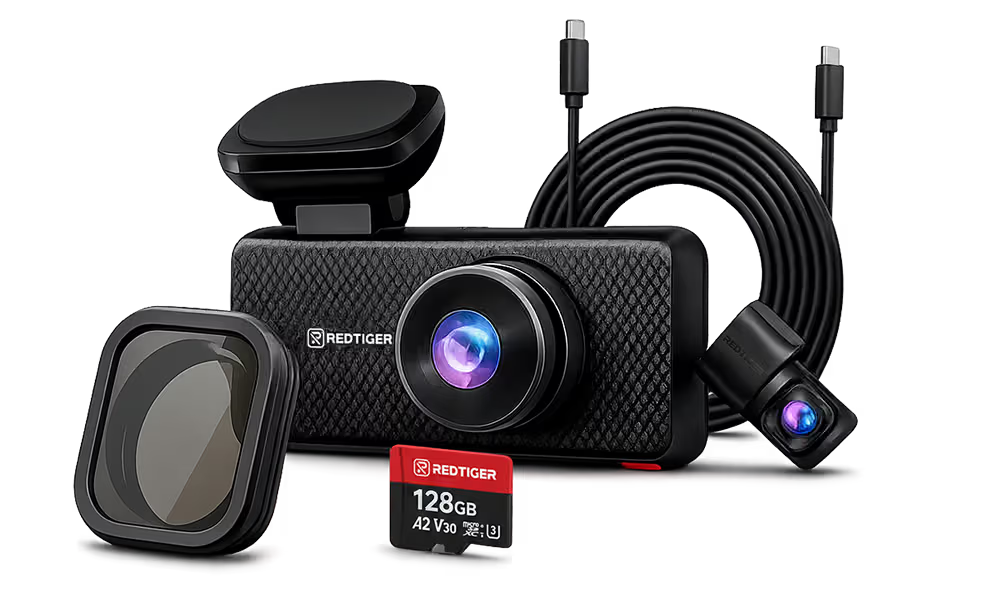
Redtiger recommends Class 10, U3-rated microSD. For 4K dual-channel recording, 128GB is the practical minimum. The F7NA supports up to 512GB, giving heavy users the largest possible recording buffer.
Number of Camera Channels
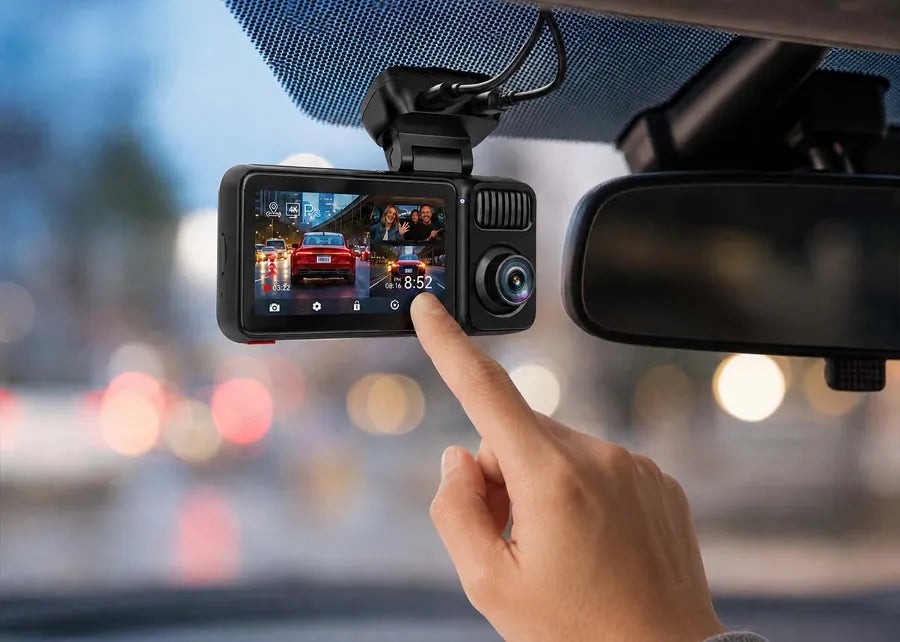
A single front-facing camera writes one stream to the card. A dual-channel front-and-rear camera writes two. A three-channel system writes three. Each additional channel multiplies the data rate proportionally.
A 4K front and 1080P rear camera simultaneously generates roughly 40–60% more data per minute than the same camera recording front-only. And a three-channel 4K + 2.5K + 1080P system like the Redtiger F17 Elite generates significantly more.
That's why channel count is the most underappreciated factor. Most storage estimates from manufacturers quote single-channel figures. Always confirm whether the estimate applies to a full channel configuration.
Parking Mode Recording
The cam keeps recording when the parking mode is active, and the camera is hardwired for continuous power. Parking surveillance can consume as much storage per hour as normal driving, or as little as a few megabytes.
It depends on the chosen parking mode (continuous, motion-triggered, or time-lapse). The choice has a major effect on how much storage is available for your next drive.
HDR, Night Vision, and GPS Logging
Hardware HDR processes each frame with more color and exposure data. It increases file size slightly compared to non-HDR footage at the same resolution. GPS logging embeds coordinate and speed metadata into every clip.
Thus, it adds a small, consistent overhead to each file. Night vision modes that use enhanced ISO or larger pixel binning also produce larger files. Those factors are minor individually, but they add up across long recording sessions.

How Long Can You Record with a Dash Cam Using Different SD Card Sizes?
Recording time varies by resolution, channel count, and bitrate. Still, we've tried to give you a practical estimation for the most common configurations.
32GB
A 32GB card is the entry point for most dash cam buyers. It works well for short daily commutes where the loop recycles footage every few hours.
|
Resolution/Channels |
Recording Time (Approximate) |
|---|---|
|
1080P Single Channel |
~4–5 hours |
|
1080P Dual Channel |
~2–2.5 hours |
|
2K Single Channel |
~2.5–3 hours |
|
4K Single Channel |
~1.5–2 hours |
|
4K Front + 1080P Rear |
~1–1.5 hours |
64GB
A 64GB card doubles the window. It's the practical minimum for single-channel 4K recording or dual-channel setups for daily commuters.
|
Resolution/Channels |
Recording Time (Approximate) |
|---|---|
|
1080P Single Channel |
~8–10 hours |
|
1080P Dual Channel |
~4–5 hours |
|
2K Single Channel |
~5–6 hours |
|
4K Single Channel |
~3–4 hours |
|
4K Front + 1080P Rear |
~2–3 hours |
128GB
128GB is Redtiger's recommended baseline for dual-channel 4K systems. It provides full-day front-and-rear recording for most commuters.
|
Resolution/Channels |
Recording Time (Approximate) |
|---|---|
|
1080P Single Channel |
~16–20 hours |
|
1080P Dual Channel |
~8–10 hours |
|
2K Single Channel |
~10–12 hours |
|
4K Single Channel |
~6–8 hours |
|
4K Front + 1080P Rear |
~4–6 hours |
|
4K + 2.5K + 1080P (3-Channel) |
~3–4 hours |
256GB
256GB suits rideshare drivers, road trippers, and three-channel users. The F17 Elite includes a 128GB card.
|
Resolution/Channels |
Recording Time (Approximate) |
|---|---|
|
1080P Dual Channel |
~16–20 hours |
|
4K Front + 1080P Rear |
~8–12 hours |
|
4K + 2.5K + 1080P (3-Channel) |
~6–8 hours |
512GB
512GB is the maximum supported by the Redtiger F7NA. Even a 4K + 1080P dual-channel setup can retain a week or more of daily driving footage.
|
Resolution/Channels |
Recording Time (Approximate) |
|---|---|
|
4K Front + 1080P Rear |
~16–24 hours |
|
1080P Dual Channel |
~32–40+ hours |
Read more: How Much Storage for a Dash Cam Do You Need?
What Is Loop Recording and Why Doesn't Your Dash Cam Stop Recording?
Loop recording is the feature that keeps a dash cam recording continuously. It divides storage into a rolling sequence of short clips – one, three, or five minutes long.
The process automatically overwrites the oldest clip when the card reaches capacity. And the camera keeps running indefinitely, without you ever having to manage files manually.
Without loop recording, a dash cam would record until the card was full and then stop. It could happen mid-drive or sometimes hours before you get back in the car.
How Loop Recording Works
The camera writes clips in order: clip 1, clip 2, clip 3. Clip 1 is deleted when the card is full, making room for a new clip, then clip 2, and so on.
The oldest footage continuously drops off as the newest is added. At any given moment, the card holds the most recent hours of your drive.
Clip length is adjustable in the settings. Shorter clips (1 minute) help in finding specific events. Longer clips (5 minutes) reduce the number of files on the card.
Locked Emergency Files
The G-sensor is a three-axis gravity sensor built into every Redtiger camera. It detects a collision, hard braking, or sharp swerve above your set threshold. Then, it automatically locks the current clip into a protected folder. They stay until you manually delete them.
You can also lock clips manually using the cam's emergency lock button or through the Redtiger app. Voice commands are also available on the F77 and F17 Elite models.
When Loop Recording Doesn't Delete Files
Loop recording only overwrites unprotected clips. Your protected folder can get filled up with G-sensor-locked clips. In that case, the loop stops functioning correctly as there's no writable space left.
Monthly card formatting clears locked clips you no longer need. It also resets the file system to a clean state. Always export clips you want or need to keep permanently before formatting.
How Does Parking Mode Change Recording Time?
Parking mode dramatically changes how storage is consumed when the vehicle is unattended. Choosing the right parking mode is one of the most effective ways to extend your available recording time.
Continuous Parking Recording
Continuous parking mode records exactly as driving mode does. It consumes storage at the same rate as normal driving. This mode provides the most complete record of your parked vehicle but is the most storage-intensive option. A 128GB card configured for 4K front and 1080P rear continuous recording will fill 6 to 8 hours of parking.
Motion Detection
Motion detection mode keeps the cam in low-power standby until movement enters the frame. The sensor can detect activities such as a person walking past, a car backing up nearby, or anything that shifts pixels in the monitored zone.
Then, it wakes up the camera and records. Most motion events last seconds to minutes. It stores a fraction of what continuous mode uses while still capturing crucial incidents.
Time-Lapse Parking Mode
Time-lapse mode captures one frame every few seconds instead of a full video. It then assembles the frames into a fast-forward overview of the parking period.
Several hours of parking compress into a short clip. This mode uses the least storage of any parking option, which is useful for getting a general record of high-traffic areas.
Impact Detection
Impact detection mode is the most storage-efficient parking option. The camera runs on minimal power, monitoring only the G-sensor. Any physical contact triggers the camera to record and lock a short clip.
Between impacts, nothing is recorded or stored. For vehicles parked in low-traffic residential areas overnight, it runs for days on the same capacity that continuous mode would exhaust in hours.
Redtiger's hardwire kit includes an automatic low-voltage cutoff at 11.8V. Thus, it prevents parking mode from draining the car battery to the point of a no-start.

How to Make Your Dash Cam Record Longer
Several practical adjustments can meaningfully extend your effective recording time. And you won't need to replace the camera or upgrade to a larger card.
Choose a High-Endurance SD Card
A dash cam's continuous write cycle wears out standard cards faster than their rated lifespan. High-endurance cards (AutosHubs listed Samsung PRO Endurance, SanDisk High Endurance, Lexar PLAY) enable continuous write cycles that last significantly longer.
Lower Video Resolution When Appropriate
You may drive mostly at low speeds in familiar areas where license plate readability at a distance isn't critical. And dropping from 4K to 2K or from 2K to 1080P can double or triple your recording window. Many Redtiger models let you set different resolutions for front and rear channels independently.
Adjust Recording Segment Length
Shorter clip segments mean more file headers and slightly more overhead per gigabyte. Longer segments reduce that overhead. Switching from 1-minute to 3-minute clips doesn't produce a dramatic improvement. However, it reduces the number of writing cycles on the card and keeps the file system cleaner.
Enable Efficient Video Compression
Some newer dash cams support H.265 (HEVC) encoding, which can reduce file sizes by 30–50% at equivalent visual quality. This means a 128GB memory card can effectively record as much as a 180–190GB card would on H.264 — an effective capacity boost of roughly 40%. You can check your camera's settings menu under video encoding or compression. However, not all models offer this option, and in many dash cams it may be available only through an advanced or hidden settings toggle.
Format the Memory Card Regularly
A card with months of loop recording accumulates file system fragmentation, slowing write speeds. Formatting the card monthly in the settings menu takes under a minute and resets the file system to a clean state. Always export any footage you want to keep before formatting.
Choosing the Right Dash Cam Based on Your Recording Needs
The right camera and storage configuration depends on how you drive. Nonetheless, Redtiger's lineup covers all possible profiles.
Daily Commuters
Short, predictable trips with consistent routes. The priority is reliable loop recording that covers the drive both ways without manual management.
- Recommended Model: Redtiger F7NT
- Recommended Storage: 64GB–128GB
- Parking Mode: Time-Lapse and G-sensor for overnight protection
- Key Features: G-sensor auto-lock, loop recording, GPS-stamped footage

Rideshare and Gig Drivers
High daily mileage, unpredictable passengers, and a need for interior documentation make three-channel coverage the priority.
- Recommended Model: Redtiger F17 Elite (4K front + 2.5K rear + 1080P interior)
- Recommended Storage: 256GB
- Parking Mode: Time-Lapse and G-sensor
- Key Features: Full-color interior night vision, three-channel G-sensor lock, and voice control
BetaNews reviewed the F17 Elite as shipping with a 128GB SD card standard, giving rideshare and gig drivers ample headroom out of the box.

Road Trips
Long continuous driving hours, varied road conditions, and a need for multi-day footage retention before the loop recycles.
- Recommended Model: Redtiger F77 (Dual Sony STARVIS 2 IMX678 sensors, front and rear both 4K)
- Recommended Storage: 256GB–512GB
- Parking Mode: Time-Lapse and G-sensor
- Key Features: True dual 4K recording, built-in eMMC storage and SD card slot for maximum capacity
That built-in storage setup has drawn praise independently — Pocket-lint gave the F77 its Editor's Choice award, noting its "128GB of built-in eMMC storage" delivers "faster data transfer speeds and greater durability than traditional SD cards."

Common Myths About Dash Cam Recording Time
Misinformation about dash cam storage is surprisingly common. Five myths repeatedly come up across buyer forums and product reviews.
Myth: Bigger SD Cards Mean Better Performance
Reality: Card speed matters as much as capacity. A 512GB slow card causes more recording issues than a 128GB high-endurance card rated for continuous write cycles.
Myth: Dash Cams Stop Recording when the Card is Full
Reality: Loop recording continuously overwrites the oldest unprotected clips. The cam never stops unless loop recording is turned off in settings or the protected folder is full.
Myth: Higher Resolution is Always Worth It
Reality: 4K makes the difference for license plate readability at speed. For short drives at under 30 mph, 1080P captures sufficient detail while providing longer recording time.
Myth: Parking Mode Records Forever
Reality: Only continuous parking mode records at the same rate as driving — a 128GB card at 4K fills in roughly 6–8 hours, after which loop recording overwrites the oldest clips (it keeps recording, but footage isn't kept forever). Motion, impact, and time-lapse parking modes use far less and can last days. A hardwire kit's low-voltage cutoff (11.8V) can also end parking recording before the card fills, to protect the battery.
Myth: All SD Cards Work the Same.
Reality: A standard Class 10 card rated for occasional video will degrade faster under continuous loop recording. Card quality directly affects recording reliability and lifespan.
Conclusion
How long can a dash cam record? Now you know the real answer: it depends on the chosen resolution, the cam's bitrate, the card's capacity, the card's write speed, the number of channels, and whether and which parking mode is active.
Once you understand those factors, you can configure your dash cam to suit your driving style. The key is to use a high-endurance SD card, format it monthly, set the right parking mode, and enable efficient compression.
Don't forget to explore the F7N, F7NA, and F17 Elite to cross-check their specifications. You can also go through the full Redtiger dash cam lineup with storage recommendations.
Frequently Asked Questions (FAQs)
1. Can my dash cam record continuously for 24 hours while parked?
Yes, only with a hardwire kit providing constant power. A cam connected to the lighter loses power when the ignition is off. A hardwired connection and sufficient storage enable your Redtiger dash cam to run in parking mode continuously as long as the storage lasts.
2. Does a dash cam keep recording when the SD card is full?
Yes. Loop recording overwrites the oldest unprotected clips automatically when storage fills up. The camera keeps recording indefinitely. However, when the protected folder fills up the entire space, you must format the card to clear old, locked files.
3. Do higher-resolution dash cams use more storage?
Yes, proportionally. A 4K clip contains roughly four times as many pixels as a 1080P clip recorded at the same frame rate and bitrate. For every 1080P hour of footage a card can hold, it can hold around 15–20 minutes of 4K footage at equivalent quality settings.
4. How often should I format my dash cam SD card?
Once a month is the standard recommendation. Continuous loop recording can cause file system fragmentation, slowing write speeds and leading to recording errors over time. Monthly formatting from settings resets the card and keeps the loop running cleanly.

Leave a comment
All comments are moderated before being published.
This site is protected by hCaptcha and the hCaptcha Privacy Policy and Terms of Service apply.