































Dash Cam Buyer’s Guide
How to Choose a Dash Cam for Daily Driving
Compare sensor traceability, night performance, parking protection, storage, and clip retrieval before choosing a camera for your commute.

Evidence quality first
Essential Dash Cam Features for Daily Driving
A reliable dash cam must preserve useful detail through changing light, vehicle motion, glare, and long recording sessions. Start with the image sensor and recording path, then evaluate the features that protect footage before and after an incident.
- Check the exact sensor model, not only the exported video resolution.
- Prioritize low-light sensitivity and HDR for night and high-contrast scenes.
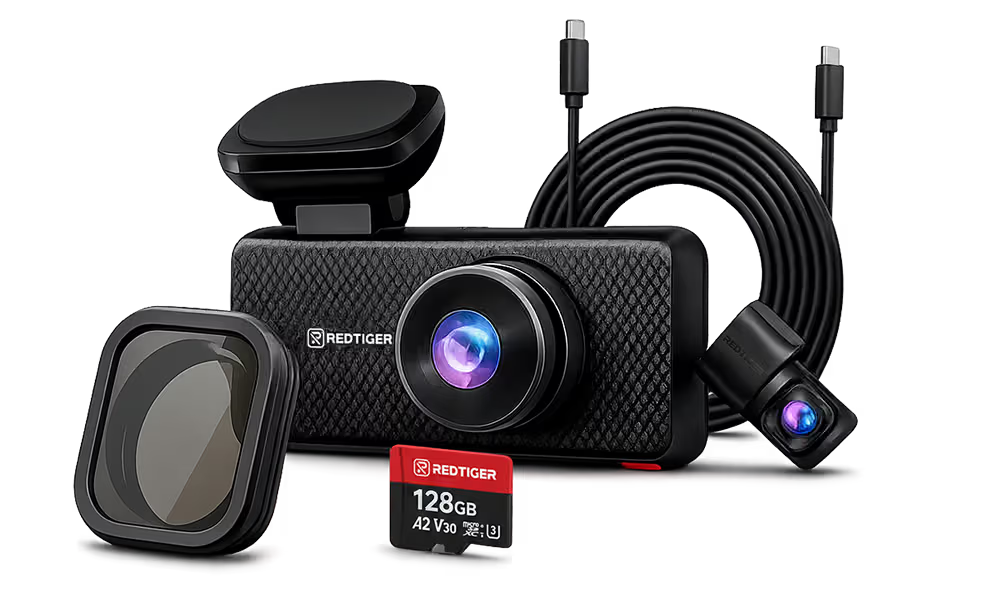
- Match front, rear, or cabin coverage to the evidence you need.
- Confirm how parking mode is powered and what triggers recording.
- Use a supported high-endurance card with the required speed class.
Sensor versus file size
A 4K label is only the start of the comparison.
Resolution describes the dimensions of the recorded file. It does not, by itself, confirm that the camera captured every pixel natively. A technical comparison should identify the sensor model, effective pixel count, sensor format, pixel size, lens aperture, and HDR implementation.
Sony specifies the IMX678 as a Type 1/1.8, 8.40-megapixel STARVIS 2 sensor with 2.0 μm pixels and recommended recording pixels of 3840×2160. It supports HDR modes and uses back-illuminated technology designed for high sensitivity. Read the IMX678 specification and Sony’s STARVIS explanation.
Larger sensors and photosites can collect more light, but dimensions are not a complete night-vision score. Lens aperture, exposure, HDR processing, compression, windshield reflections, and motion also affect whether a plate or road sign remains legible.
Verified REDTIGER examples
Exact published sensor identities, recording configurations, and US sale prices observed during this review.
| Model | Published sensor | Recording | Observed price | Best fit |
|---|---|---|---|---|
| F7NA | Front Sony STARVIS 2 IMX678 | Native 4K front; 1080p rear | $139.99 | Front-priority detail with touch, voice, and app controls |
| F77 | Sony STARVIS 2 IMX678 front and rear | Native 4K front and rear | $219.99 | High-detail rear evidence as well as front coverage |
| ViewClear 70 | Front Sony IMX678; rear OmniVision OS04J10 | 4K front; 2.5K rear | $199.98 | Stronger rear resolution without dual-4K pricing |
| F17 Elite | IMX678 + IMX675 published | 4K + 2.5K + 1080p, three channels | $349.99 | Rideshare or multi-channel recording needs |
Prices were observed on REDTIGER’s US storefront during this review and may change. Some listings publish 4K output without naming the exact sensor. The current F7NP listing labels it only as an “F7NP 4K Sensor,” while an older F7NP FAQ describes the front recording as upscaled 4K. Its exact sensor identity and native-capture status are therefore unverified.
Parking mode needs a trigger and a power plan.
A G-sensor detects sudden movement or impact and can lock the related clip against normal loop overwrite. Motion-triggered parking mode reacts to activity in the camera’s field of view.
Parking recording also needs power while the ignition is off. Confirm whether a compatible hardwire kit is included, how low-voltage protection works, and whether professional installation is appropriate. See the REDTIGER parking mode guide.
Daily operation
Selecting a User-Friendly Dash Cam
A high-resolution camera is useful only if you can install it cleanly, confirm it is recording, retrieve a clip, and maintain its storage.
- 01
Mounting
Choose a camera that fits behind or near the mirror without blocking the driver’s view. Check the mount, cable route, and rear-camera cable length.
- 02
Controls
Decide whether physical buttons, a touchscreen, voice control, or app control will be easiest to use without distraction.
- 03
Phone retrieval
Verify the steps to connect, preview, lock, download, and save a clip to the phone gallery before an incident makes that workflow urgent.
- 04
Storage
Confirm maximum capacity and speed class. Higher resolution and more channels create larger files, so the same card stores less recording history.
- 05
Maintenance
Format the card in the camera, review recordings periodically, and export important clips before loop recording replaces older unlocked files.
Easy phone retrieval is a recurring first-time-buyer need. One community discussion asks specifically for a system that can “easily download the video from my phone.”
Match 4K recording to dependable storage.
Higher resolution and additional channels create larger files. Exact recording hours depend on bitrate, codec, channel count, and loop settings, so a capacity number alone is not enough.
The SD Association explains that video needs consistent sequential write performance and advises matching the card’s speed class to the device. REDTIGER’s F7NP support page specifies Class 10/U3 for that model. Follow the requirement for the exact camera you purchase.
Current starting points
REDTIGER options observed at or below $100
| Model | Observed price | Published usability angle | Sensor disclosure |
|---|---|---|---|
| F4 4K Touchscreen | $89.99 | Touchscreen, voice control, Wi-Fi, GPS; front-camera package | Exact sensor model not published in indexed product details |
| F7NS 4K Front | $89.99 | Simple front-only camera; hardwire kit listed in package | Exact sensor model not published in indexed product details |
| F9 4K Dual Mini | $99.99 | Compact front-and-rear form factor; 64 GB card listed | Exact sensor model not published in indexed product details |
| F8 4K Front | $99.99 | Touchscreen plus dual-band Wi-Fi and app control | Exact sensor model not published in indexed product details |
Observed sale prices may change. Buyers who place sensor traceability above price should choose a model with an explicitly published sensor configuration.
Choose with the evidence in view
Compare channel coverage, verified sensors, controls, parking support, storage, and current pricing.