































If you drive a Subaru, you already know EyeSight is one of the best reasons to love the brand. However, it also raises a fair question before you buy a camera. The right dash cam for Subaru with EyeSight must capture great footage without interfering with the two stereo cameras that make EyeSight work.
That's why you need to look beyond camera resolution. Consider compact design, windshield position, field of view, 4K resolution, HDR, night vision, parking monitoring, GPS, and WiFi connectivity.
Get those things right, and you end up with clear evidence on the road. The same goes for the driver-assist system that keeps working as Subaru designed it. This guide covers what matters for Subaru owners and compares three REDTIGER dash cams built for your needs.
What Should You Look for in a Dash Cam for a Subaru With EyeSight?
A good dash cam for Subaru with EyeSight balances two goals: capturing sharp footage while staying out of EyeSight cameras. That means you need –
- EyeSight-safe placement
- A compact housing
- A wide but accurate field of view
- 4K resolution
- HDR for tricky lighting
- Night vision for dark roads
- Parking monitoring for when the car is unattended
- GPS/WiFi for easier footage management.
Those features matter more for Subaru drivers than for car owners without a forward-facing driver-assist camera. A poorly chosen dash cam can crowd the windshield real estate that EyeSight depends on.
Does a Dash Cam Interfere with Subaru EyeSight?
Subaru's EyeSight system uses two forward-facing stereo cameras. They're mounted near the top of the windshield, close to the rearview mirror. The two cameras judge distance and detect hazards much like humans do.
The dual-camera setup allows EyeSight to calculate distance to the vehicle ahead. It can even watch lane markings and apply the brakes automatically if a collision risk goes unanswered. So, keeping the view clean isn't a formality. Those cameras rely on an unobstructed line of sight.
An aftermarket dash cam mounted too close, or a cable routed across the wrong windshield section, can cast a shadow or reflection into EyeSight's view. A bulky camera or loose wiring that blocks part of your forward view poses a greater risk.
Where Should You Mount a Dash Cam with EyeSight?
Choose a mounting position that gives your dash cam a clear recording angle. It also has to stay outside of the "prohibited" and "shaded" zones Subaru marks around the EyeSight cameras.
Subaru's official guidance is to mount aftermarket accessories in the corners of the windshield, away from these designated areas, not directly behind the mirror where EyeSight sits.
That means placing a compact dash cam just below or beside the EyeSight housing. It's close enough to stay out of your direct line of sight, but clear of the ceramic border and prohibited zone.
Route the power cable along the headliner and down the A-pillar to keep your sight unobstructed. Don't drape it across the windshield to keep the glass in front of EyeSight completely clear.
What Should You Check After Installation?
Once the dash cam is mounted, confirm three things –
- The camera is securely attached and won't shift while driving.
- Your own forward view remains absolutely unobstructed.
- EyeSight continues to operate normally on a short test drive.
A working EyeSight indicator light is a reasonable first check. However, it only confirms the system powered on correctly, not that your dash cam placement is fully clear of interference.
Take the car out at night and during rain to confirm EyeSight still responds normally to lane markings and adaptive cruise control. Glare and reflections are the most common way an aftermarket accessory quietly affects camera-based systems.
Which Dash Cam Features are Important for Subaru Drivers?
Subaru drivers get the most value from a dash cam that pairs strong image quality with sensible size and placement. Prioritize the four features discussed below.
4K Resolution for Clearer Road Details
4K resolution captures enough detail to read license plates and street signs from a reasonable distance. It can serve as evidence in a fault dispute or hit-and-run claim where a blurry 1080p clip may not hold up.
HDR for High-Contrast Driving Conditions
HDR processing balances bright and dark areas within the same frame. A Subaru driver constantly hits scenes like this: driving into low sun, exiting a tunnel, or facing oncoming headlights at night.
Strong Night Vision for Low-Light Conditions
A dash cam's night vision performance depends more on its image sensor than on resolution alone. A larger, more light-sensitive sensor can capture more usable color footage in near-darkness.
A Useful Field of View Without Excessive Distortion
A wide field of view captures more of the road. Still, too wide a lens introduces fisheye distortion that makes distances and license plates harder to judge.
A balanced 140–160-degree range serves daily driving better than an extreme wide angle. A lens that's too wide can also make it harder to tell whether an object was within EyeSight's forward path or just at the edge of the frame.
How Do Night Vision and HDR Improve Dash Cam Footage in a Subaru?
Rain-slicked streets, streetlights, oncoming headlights, and poorly lit residential roads are where a dash cam's sensor quality shows up. 4K resolution alone doesn't guarantee good nighttime footage.
It still needs a capable sensor and real HDR processing. Surprisingly, a 4K camera can still produce washed-out or overly dark REDTIGER F7NA lips in these exact conditions.
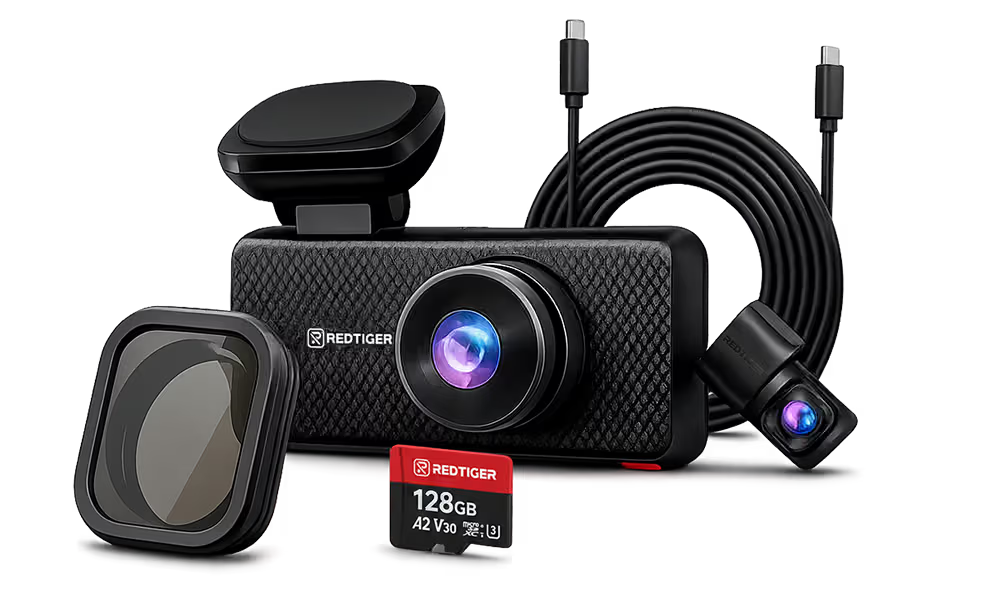
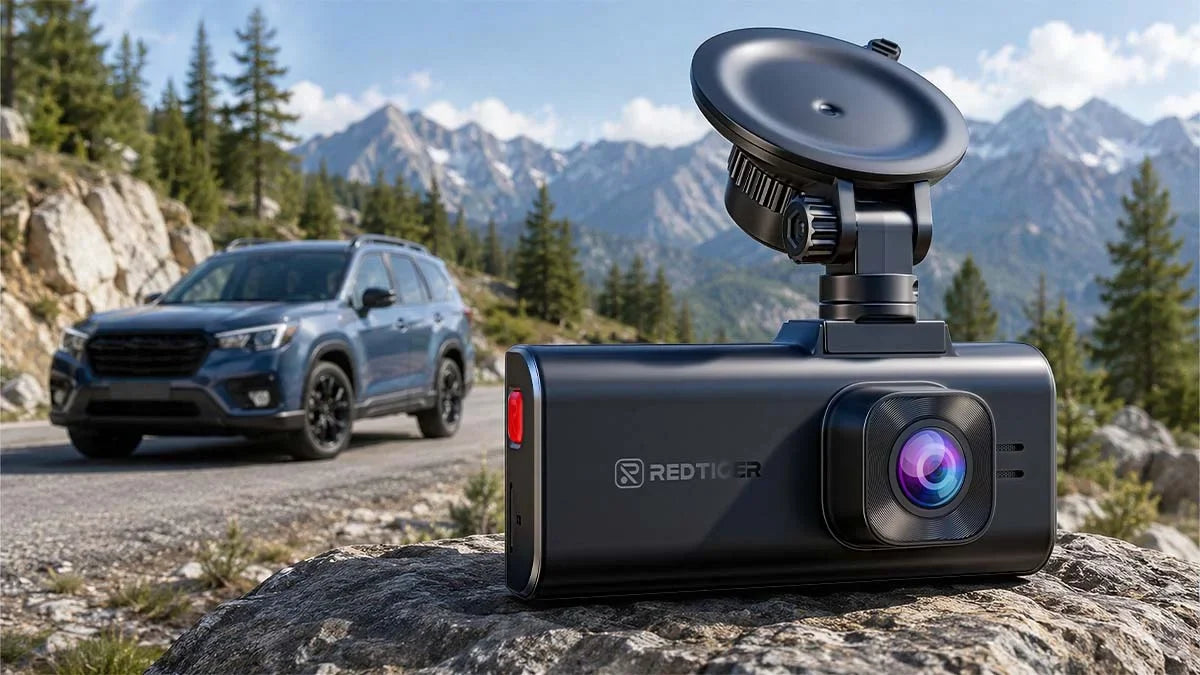
Many Subaru drivers want dependable front-and-rear footage without the largest housing on the market. That's where the comes in.
It pairs a native 4K resolution front camera with a Sony STARVIS 2 sensor. The sensor uses a back-illuminated design to capture more light per pixel and deliver noticeably cleaner low-light footage.
Meanwhile, the rear camera records at 1080p. So, it gives you front-and-rear coverage in a compact housing that's easier to fit into an EyeSight-safe mounting spot.
Is Parking Monitoring Important for a Subaru Dash Cam?
Parking monitoring keeps a dash cam recording after the engine shuts off. That's when many parking-lot collisions and hit-and-run incidents happen. Hit-and-run crashes have been rising nationally.
AAA found that 15% of all police-reported crashes in 2023 involved a driver who fled the scene. It's the highest recorded in recent years. Before turning on parking mode, plan for a proper power source.
A hardwire kit with a low-voltage cutoff switch powers the dash cam from the fuse box. It also automatically disconnects before the cam can drain the car's battery low enough to prevent a start.
Some Subaru owners demand strong front-and-rear coverage with better low-light performance for overnight parking. In that case, consider the REDTIGER ViewClear 70, a solid option.
It uses 4K front + 2.5K rear cameras with HDR processing and enhanced night vision on both the front and rear lenses. It feels like a great upgrade for parking-mode footage captured well after dark.
How Important Are GPS, WiFi, and Smartphone Access?
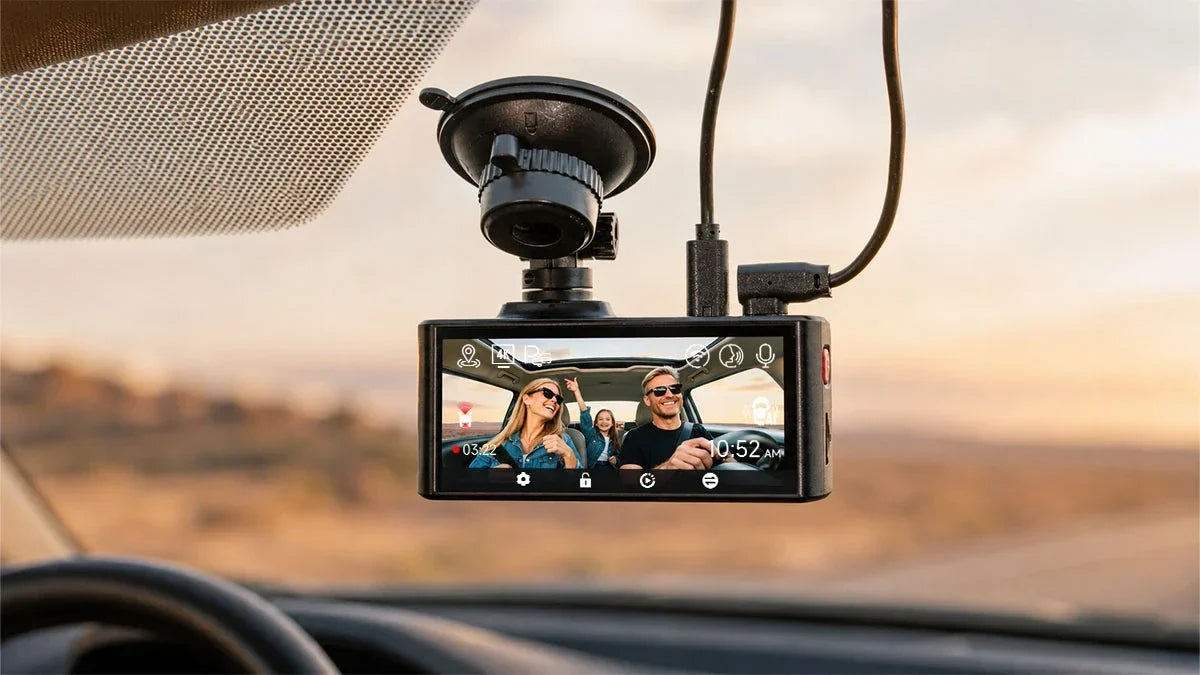
GPS and WiFi connectivity turn raw video into usable footage. It matters when you need to hand a clip to your insurance company or the police following an incident.
GPS Data
Built-in GPS logs your speed, route, and location alongside the video. Such information helps establish exactly where and how fast you were traveling if a claim is ever disputed.
WiFi Connectivity
WiFi connectivity lets you pull clips onto your phone without removing the SD card. It feels faster and is less likely to damage the card's connector with repeated use.
Easy Video Management
A companion app lets you preview, download, and share clips directly from your phone, saving time. It matters the most right after an incident, when you may need to hand over a clip quickly.
Should Subaru Owners Choose a Front-and-Rear or 3-Channel Dash Cam?
A front-and-rear dash cam covers the two angles most claims actually involve. Meanwhile, a 3-channel system adds an interior camera for situations where cabin footage matters too.
When Is a Front-and-Rear Dash Cam Enough?
Front-and-rear coverage is usually enough for everyday commuting and highway driving. It documents the road ahead and captures rear-end collisions or brake checks from behind. Such events cover most incidents a typical Subaru owner will ever need to prove.
When Is a 3-Channel Dash Cam Better?
A 3-channel dash cam is ideal for family vehicles, rideshare driving, or road trips. Those users often need cabin footage to document a passenger dispute or confirm what happened inside the car during an incident.
The REDTIGER F17 Elite is built for such use cases. It records full-color night vision on the interior cabin camera, plus Sony STARVIS 2 NiteGuard™ night vision on the front and standard Sony STARVIS night vision on the rear. A built-in WiFi 6 enables faster clip transfer to your phone.
Which REDTIGER Dash Cam Is Right for Your Subaru?
Most Subaru owners look for a compact, budget-friendly option with strong front-camera detail. That's where the F7NA's native 4K resolution and Sony STARVIS 2 sensor cover the basics well. Others care more about overnight parking coverage and stronger dual-camera night vision.
That's where the ViewClear 70's dfront 4K UHD + rear 2.5K QHD processing become the better fit. Still, you may need full interior coverage for family trips and/or rideshare driving. And the F17 Elite, a solid 3-channel setup with WiFi 6 connectivity, remains the most complete option of the three.
Conclusion
Installing a dash cam for Subaru with EyeSight means having a model that works seamlessly with Subaru's advanced driver-assistance system. You've seen how placement, compact design, and compatibility with EyeSight's forward-facing cameras matter as much as dash cam features.
As a Subaru driver, you should prioritize clarity, safety, and practicality. A well-chosen REDTIGER dash cam captures critical details as evidence without obstructing EyeSight's field of view. It doesn't matter whether you're commuting daily, parking overnight, or taking long family/solo weekend trips.
Frequently Asked Questions (FAQs)
Can I use a dash cam with Subaru EyeSight?
Yes. A dash cam doesn't interfere with how EyeSight functions as long as it's mounted outside the camera's designated prohibited and shaded zones. It also shouldn't block your forward view.
Where should I install a dash cam in a Subaru with EyeSight?
Mount it in the corner of the windshield, close to the top of the glass. Also, keep it clearly outside the ceramic border and prohibited area Subaru defines around the EyeSight cameras.
Is 4K worth it for a Subaru dash cam?
Yes, for most drivers. 4K resolution captures enough detail to read license plates and signage clearly. It matters more than it sounds like in an actual dispute or claim.
Do I need front and rear cameras for my Subaru?
Front-and-rear coverage is enough for most everyday driving. It can document both directions most collisions come from. Add a 3-channel model only if interior footage adds real value for your situation.
Will a dash cam drain my Subaru's battery in parking mode?
Not if it's wired correctly. A hardwire kit with a low-voltage cutoff switch powers the camera from the fuse box. It also automatically disconnects before the battery drops too low to start the car.
What SD card size do I need for 4K dash cam recording in a Subaru?
A 128GB card is a solid baseline for a single 4K channel, storing roughly 11.5 hours of 4K 30fps footage. Go larger if you're running parking mode or multiple channels.
Are REDTIGER dash cams compatible with all Subaru EyeSight generations (Gen 1–4)?
Yes. A dash cam operates independently of EyeSight's own camera hardware and software. So, compatibility comes down to mounting placement, not the EyeSight generation.

Leave a comment
All comments are moderated before being published.
This site is protected by hCaptcha and the hCaptcha Privacy Policy and Terms of Service apply.