



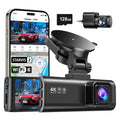
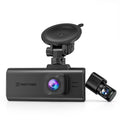

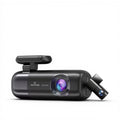
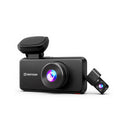
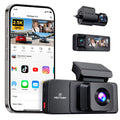

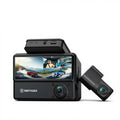


















Key takeaway: For rideshare drivers, establishing a robust evidence chain is critical for resolving collisions, passenger disputes, and insurance claims. A 3-channel (3CH) dash cam provides the comprehensive coverage needed to meet evidence standards of continuity and integrity.
1. Why Rideshare Drivers Require a 3-Channel System
Rideshare driving involves unique liability structures, including multi-period insurance coverage and platform safety requirements. A 3-perspective system—Front (4K), Cabin (2.5K), and Rear (1080P)—provides the objective record necessary to clarify complex incidents.
2. Securing the Evidence Chain
To ensure video evidence supports a successful claim review, drivers should follow a standardized evidence framework:
Evidence Standard (Claims/Fraud Review)
- Continuity: Coverage of the pre- and post-event window (e.g., T-60s to T+120s) to establish full context.
- Integrity: Submission of original files exported directly from the dash cam/SD card (avoid screen recordings or re-encoded copies).
- Corroboration: Use of synchronized front, rear, and interior views to cross-verify timestamps and location metadata.
THE RIDESHARE EVIDENCE CHAIN
Scenario A: Passenger Disputes and Safety Incidents
Interior recording serves as an objective record during escalations. Rideshare platforms emphasize safety reporting as a priority:
"If you require immediate police or medical attention, please call 911... please contact Uber’s Safety Incident Reporting Line..."
Scenario B: Traffic Collisions and Fraud Review
Fraud and dispute review teams rely on multi-perspective data to reduce ambiguity in collision claims:
- Rear footage can clarify the circumstances of rear-end collisions and follow-distance disputes.
- Cabin footage can document driver and passenger behavior (where legally allowed) prior to impact.
- Metadata (GPS/Time) verifies the reported incident time and location against platform trip data.
📝 Evidence Submission Template
When submitting a safety or insurance report, include the following fields for a faster review:
- Incident type: (e.g., Collision / Dispute / Lost item)
- Timestamp: Date and precise time (including timezone)
- Location: GPS coordinates or nearest intersection
- Evidence Files: Original Front/Rear/Cabin files with visible watermarks
- Key Frames: High-resolution captures of license plates or the moment of impact
Need assistance exporting your files securely? Visit the Redtiger Support Center for step-by-step guidance.
3. Quantitative Data: Storage and Resolution Analytics
Simultaneous recording across three channels requires specific hardware and storage capacity. Data consumption varies significantly based on codec and bitrate.
GB/hour ≈ bitrate (Mb/s) × 3600 ÷ 8 ÷ 1024
*Note: This estimate depends on codec (e.g., H.264 vs H.265) and bitrate settings.
| Resolution Setup | Est. Data Per Hour (depends on settings) | Recommended SD Card | Shift Capacity (256GB) |
|---|---|---|---|
| 4K Front + 2.5K Cabin + 1080P Rear | ~ 20 to 26 GB/HR | 256GB High-Endurance U3 | Approx. 10 to 12 Hours |
| 1080P Front + 1080P Cabin | ~ 8 to 10 GB/HR | 128GB High-Endurance U3 | Approx. 25+ Hours |
3-CHANNEL DASH CAM STORAGE MATH
4. Frequently Asked Questions (FAQs)
Does Uber allow drivers to use inward-facing dash cams?
Uber provides in-app channels and guidance for reporting safety incidents. Interior recording rules vary by jurisdiction; drivers should follow applicable consent and privacy laws and platform requirements.
How much memory card storage does a 3-channel dash cam need?
A 3-channel system recording at 4K + 2.5K + 1080P generates ~20-26 GB/hr, depending on bitrate and codec settings. For full-time drivers, a 256GB card ensures a full shift is captured before loop recording begins.
🔗 Sources & References
Legal Disclaimer: This article is for general informational purposes only and does not constitute legal advice. Dash cam and privacy laws vary by state and can change over time. For advice about your specific situation, you should consult a licensed attorney in your jurisdiction. For hardware troubleshooting, please reach out to our support team.



Leave a comment
All comments are moderated before being published.
This site is protected by hCaptcha and the hCaptcha Privacy Policy and Terms of Service apply.