































The Three Parking Mode Types — and How They Affect Battery Draw
Dash cam parking modes differ in how the camera behaves while your car is parked. That behavior directly determines how much power is pulled from your vehicle battery.
Time-Lapse Mode — Lowest Power Draw
Instead of recording continuous video, time-lapse mode captures one frame at set intervals — typically every few seconds. The camera's image processor is active for a fraction of the time compared to continuous recording.
Result: Significantly lower power draw than continuous modes. Ideal for commuters who park for long stretches and want extended coverage without heavy battery demand.
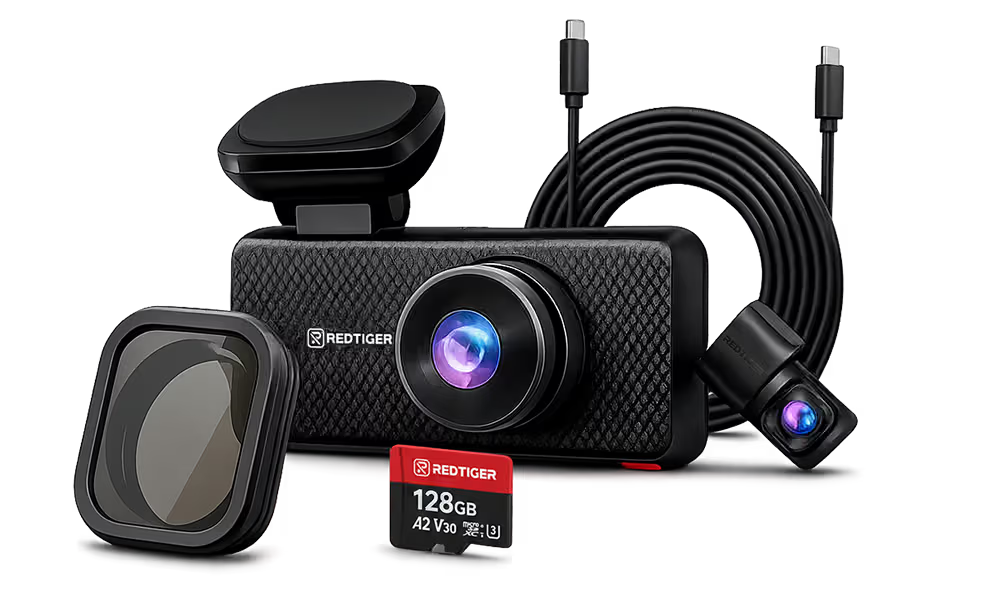
REDTIGER models with time-lapse: F7NP (time-lapse + collision detection), F17 Elite (NiteGuard™ activates via the time-lapse setting).
Motion/Collision Detection Mode — Low to Moderate Power Draw
The camera stays in a low-power standby state and wakes to record only when the G-sensor detects a physical impact (collision detection) or when the camera's motion detection triggers.
Result: Lower power draw during quiet periods; draw spikes briefly during recording events. Effective for cars parked in areas with occasional pedestrian or vehicle traffic.
24-Hour Continuous Recording — Highest Power Draw
The camera records video continuously while parked, just as it does while driving. Full processor and sensor load for the duration of the parking session.
Result: Highest power draw of the three modes. Provides the most complete record of what happened around your car — but places the greatest demand on your battery and makes low-voltage cutoff protection more critical.
REDTIGER models with 24-hour continuous: F7NA, F17, F17 Elite.
Super Auto-Shield — All Three Combined
REDTIGER's Super Auto-shield, available on the F7N Elite, runs Loop-Recording, Time-Lapse Recording, and Collision Detection in a single combined parking mode. The camera uses the appropriate mode based on conditions.

Low-Voltage Cutoff: The Mechanism That Actually Protects Your Battery
Choosing a power-efficient parking mode reduces the rate of battery drain. But it does not eliminate the risk of a dead battery on its own. Low-voltage cutoff (LVC) is the protection that does.
LVC is a threshold built into the dash cam's firmware. When the vehicle battery voltage drops to the cutoff level during parking mode, the camera automatically shuts down — before the battery reaches the point where the engine can no longer start.
All current REDTIGER parking-mode cameras include low-voltage cutoff protection. The specific cutoff threshold is configurable in the camera's settings menu — consult your user manual for the recommended setting for your battery type.
REDTIGER Parking Mode — Model Comparison
| Model | Parking Mode Type | Hardwire Kit Status | LVC Built-in |
|---|---|---|---|
| F7NP | Time-lapse + collision detection | ✓ Included free | ✓ Yes |
| F7NA | 24-hour continuous | ✓ Buy with hardware kit | ✓ Yes |
| F7N Elite | Super Auto-shield | ✓ Included free | ✓ Yes |
| F17 | 24-hour continuous | ✓ Included free | ✓ Yes |
| F17 Elite | NiteGuard™ (Time-lapse + Night Color) | ✓ Included free | ✓ Yes |
Spring 2026. Verify current hardwire kit inclusion and pricing on each product page before purchasing.
Supercapacitor vs. Lithium Battery: Why It Matters
REDTIGER cameras use a supercapacitor for internal power buffering rather than a lithium battery. This distinction affects parking mode reliability.
A lithium battery degrades in high heat. A battery that degrades loses capacity and may fail to hold the low-voltage cutoff reliably. A supercapacitor has no chemical degradation in heat. The F7NA, for example, is rated from −4°F to 158°F. For parking mode, a reliable supercapacitor means the camera handles power interruptions and restarts flawlessly over years of use.
How to Set Up Parking Mode to Minimize Battery Drain
- Install a hardwire kit — required for any parking mode to function when the ignition is off.
- Configure LVC in camera settings — set the threshold to the level recommended for your battery type.
- Choose time-lapse mode if battery capacity is a concern — lowest-power parking mode.
- Use continuous or Super Auto-shield if incident capture is the priority — higher power draw but more complete footage.
- Park with a healthy battery — LVC protects against drain but cannot compensate for an aging battery.
Frequently Asked Questions
Which parking mode uses the least battery power?
Time-lapse parking mode uses the least power. It captures frames at intervals rather than recording continuous video, which means the camera's processor and sensor are active for only a fraction of the time. For long parking sessions where battery conservation is the priority, time-lapse is the appropriate mode. REDTIGER's F7NP uses time-lapse plus collision detection for parking coverage. The F17 Elite's NiteGuard™ mode also operates via the time-lapse recording setting.
What is low-voltage cutoff and does it actually prevent a dead battery?
Low-voltage cutoff (LVC) is a firmware threshold in the dash cam. When your vehicle battery voltage drops to the cutoff level during parking mode, the camera shuts itself off automatically — before the battery falls below the voltage needed to start the engine. It is the primary protection mechanism against a dead battery from parking mode use. All current REDTIGER parking-mode cameras include LVC; the specific threshold is adjustable in the camera's settings menu. A healthy battery with LVC correctly configured should not be drained to the point of a no-start by parking mode.
Can I run parking mode using the 12V cigarette lighter port?
No. Most 12V accessory ports shut off with the ignition, so the camera loses power as soon as you park. Parking mode requires a hardwire connection to a circuit that stays powered when the ignition is off. REDTIGER's OBD Hardwire Kit ($33.99) provides this connection for compatible models. Some REDTIGER cameras include a hardwire kit in the box — check your specific model's product page.
Will dash cam parking mode kill my car battery?
With low-voltage cutoff protection correctly set, a healthy battery should not be drained to a no-start condition by parking mode. LVC stops the camera before the battery hits the critical threshold. However, an already-weak or aging battery may not have enough reserve capacity above the LVC threshold to sustain a full parking session. If your battery is more than 3–4 years old, have it tested before relying on parking mode for extended sessions.
Does NiteGuard™ parking mode draw more power than standard parking mode?
NiteGuard™ on the REDTIGER F17 Elite is activated through the time-lapse recording setting in the parking monitor — it uses time-lapse capture and applies Full Night Color processing (multi-frame long exposure and noise reduction algorithms) to each captured frame. Because it operates in time-lapse intervals rather than continuous recording, its power draw profile is consistent with time-lapse mode rather than 24-hour continuous recording.
Enable Parking Mode on Your REDTIGER Camera
If your model didn't include a hardwire kit, the REDTIGER OBD Hardwire Kit adds continuous parking monitoring to compatible models. Looking for a camera with the hardwire kit included? The REDTIGER F17 Elite ships with the kit and NiteGuard™ parking mode ready to activate.
Get the REDTIGER OBD Hardwire Kit →


Leave a comment
All comments are moderated before being published.
This site is protected by hCaptcha and the hCaptcha Privacy Policy and Terms of Service apply.