
















Best Dash Cam For Uber Drivers: Top Choices For Safe Rides
|
|
Time to read 10 min

Help Center
Get help with setup, updates, and information

Track My Order
Check Your Package Tracking Status Online

Learn About Dash Cam
The Latest Dash Cam News and Information

Redtiger Player
Play the videos you've recorded on your PC

REDTIGER CAM APP
Download the Redtiger app and use it via a Wi-Fi connection
 Channel
 Sensor
 Video Resolution
 Display
 Lens Aperture
 HDR/WDR
 Wi-Fi
Wi-Fi
 Touch Screen Control
 Voice Control
 Parking Mode
 NiteGuard ™ Parking Mode
 Night vision capability
 GPS Logger
 G-sensor
 Loop Recording
 Storage
 CPL Supported
 Mounting Type (Default)
 Battery & Charging
 Working Temperature
We provide comprehensive pre-sales and after-sales service.

Redtiger offers free shipping on orders totaling $50 or more. We recommend purchasing shipping protection to safeguard your package and money.

Redtiger offers a 30-day money-back guarantee. You may contact us for a no-questions-asked return within 30 days of receiving your order.

Ordering a dashcam through the Redtiger official website entitles you to an additional 6-month extended warranty. This brings the total warranty period to 24 months.

Redtiger provides 24/7 customer service. You can contact us via email or call our customer service hotline directly.
No need to worry about after-sales service—we provide comprehensive after-sales support.
We offer free shipping on qualifying orders with no hidden fees or surprise charges.
Most orders are processed within 1–2 business days and shipped through trusted carriers to ensure safe and timely delivery.
You’ll receive tracking details as soon as your order ships, so you can follow it every step of the way.
From checkout to delivery, we make the process simple and worry-free.

Your satisfaction comes first. If you’re not completely happy with your purchase, you can request a return within 30 days of delivery.
Simply reach out to our support team and we’ll guide you through the process.
Once your item is received and inspected, your refund will be issued promptly according to our policy.
Shop with confidence knowing your purchase is protected.

We use industry-standard encryption and trusted payment providers to protect every transaction.
Your personal and payment information is securely processed and never stored or shared without authorization.
Multiple secure payment options are available for your convenience, so you can complete your purchase with total confidence.

Have a question? We’re here to help.
Our dedicated customer support team responds quickly and provides clear, helpful solutions — whether it’s product guidance, order updates, or after-sales support.
We’re committed to delivering a smooth experience before and after your purchase.
|
|
Time to read 10 min
You have to deal with a lot every day when you drive for Uber. You drive a lot of miles, and sometimes people make false claims, so passengers can complain. Having proof is important for your safety and work. The best dash cam for Uber drivers lets you record what happens so you can prove what really happened.
When you drive for Uber, you have to deal with tough situations all the time. A passenger might lie, and you are always adding more miles. Having video proof is important for your safety and your job. You can protect yourself, stay within the law, and keep your money safe on every ride if you have the right camera.
Table of contents
When you pick up passengers, you take on risks that most drivers don't think about.
You drive carefully, but someone else hits your car. They tell the police a different story. Video helps show where you are in your lane, when to turn, who has the right of way, and the exact time. You show the video and prove that you aren't to blame.
A rider says you were rude, threatened them, or took a dangerous route. A video of the cabin shows what really happened. You can see more than just the road ahead. You have full proof of what was said and done.
Some riders use verbal abuse, threats of violence, or sudden grabs at your phone. A dash cam that can be seen stops things from getting worse right away. If the police come later, your video will show exactly who caused the problem and what happened.
People who ride your bus spill drinks, vape, smoke, or damage your seats. A lot of the time, they say they didn't make the mess. The video makes it clear when the damage happened and who was sitting in that spot. You send in the video and get your cleaning fee.
Your needs are different from those of most drivers when you drive for Uber.
You need to know where the road and the cabin are. A simple view of the windshield doesn't show what the passengers are doing. A setup with two or three lenses protects you from all sides. You can see the road ahead and the people behind you.
Most of the time, your rides are in the dark or in low light. Your camera needs to be able to work in these dark places. Infrared lenses or full-color night vision can see faces clearly. You don't want grainy video when there's a fight at midnight.
The best camera is the one you can quickly export when there is a problem. You can quickly download clips with Wi-Fi and smart apps. You send the proof to the support teams before the passenger even complains.
Rideshare mileage and heat can show weak mounts, cheap storage, and bad power setups. You drive all day in the sun. Supercapacitors can handle very high temperatures much better than batteries. You need a device that can handle a lot of work all the time.
Use this simple list to help you find the best dash cam for your car. It will help you figure out which features are most important.
You should think about where you will keep the files from your dash cam. As a driver, you can use both cloud and local storage for different things.
Cloud storage keeps your clips on a server that isn't in your area. You want this if someone takes your camera or erases important footage. Quick disagreements need quick access. You show the platform the cloud link and fix the problem quickly.
You need to pay a monthly fee for cloud systems and have a reliable cell connection. You pay a monthly fee to keep the service going. The camera won't upload your clips if you drive in rural areas where the reception is bad.
Cloud subscriptions are very helpful for full-time drivers. The monthly fee is like an insurance policy for your job. A high-endurance SD card works well for people who only drive sometimes. Local storage is cheaper and works well for trips on the weekend.
When you look for the best dash cam for Uber drivers, you have a lot of options.
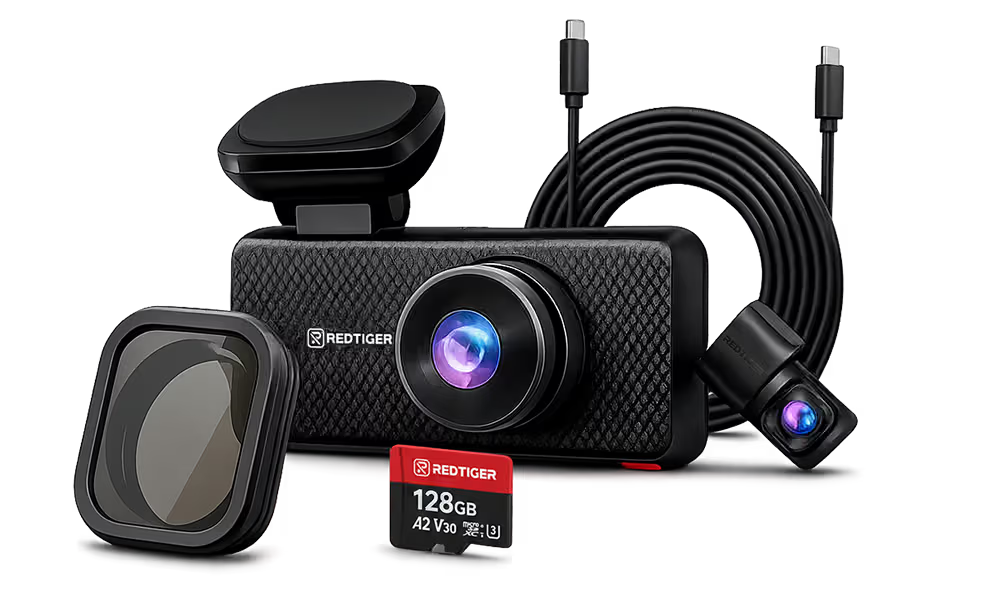
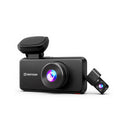
The REDTIGER F17 Elite is built for Uber drivers. Its full-color night vision captures passengers and road incidents in crystal-clear detail, even during late-night shifts. The 3-channel system records the road (4K), rear (2.5K), and cabin (1080P) simultaneously, protecting against false claims and collisions. Voice control and quick WiFi file access help you document incidents instantly. The touchscreen display manages all three feeds, giving you complete peace of mind.
Feature |
Specification |
Channels |
3-channel (Front + Cabin + Rear) |
Front Camera |
4K (2160P), Sony STARVIS 2 |
Cabin Camera |
1080P, Full-color night vision |
Rear Camera |
2.5K, Sony STARVIS 2 |
Screen |
3-inch IPS touchscreen |
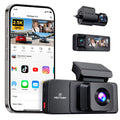
The F17 Plus protects Uber drivers where it matters most: dual cabin recording. Capture both the front road (2.7K) and rear simultaneously, with 1080P cameras covering both passenger areas. This dual-angle interior view documents passenger behavior and eliminates disputes about what happened inside. Quick WiFi file access lets you build your case immediately. For rideshare drivers concerned about liability, the F17 Plus delivers the comprehensive coverage you need.
Feature |
Specification |
Channels |
4-channel (Front + Dual Cabin + Rear) |
Front Camera |
2.7K, Sony STARVIS 2 |
Dual Cabin |
1080P, Dual IR night vision |
Rear Camera |
1080P FHD Sensor |
Power |
Supercapacitor |
Screen |
3-inch IPS touchscreen |
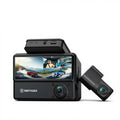
The G900 TriPro Cabin protects Uber drivers with full interior coverage. Record the road, passengers (1080P), and rear (2.5K) simultaneously. The infrared cabin camera captures passenger details in total darkness—essential for evening and night shifts. The split-screen 12-inch display lets you monitor all three angles in real time. Instant WiFi access and voice control make evidence collection effortless. For rideshare liability protection, this is the most complete solution available.
Feature |
Specification |
Channels |
3-channel (Front + Cabin + Rear) |
Front Camera |
4K, Sony STARVIS 2 |
Cabin Camera |
1080P with 4 IR Lights |
Rear Camera |
2.5K, Sony STARVIS 2 |
Screen |
12-inch IPS touchscreen |
Storage |
256GB included |
4K refers to exported video files with a resolution of no less than 3840 × 2160.
The Vantrue N4 Pro is engineered for Uber drivers. Record the road (4K), dual interior angles (1080P each), and rear—capturing passenger behavior from every angle. PlatePix™ technology ensures license plates are crisp and readable, essential for hit-and-runs. STARVIS 2 sensors and HDR technology deliver exceptional night vision, identifying drivers and passengers clearly even in low light. WiFi file access makes evidence collection instant. For rideshare liability protection, this is professional-grade security.
Feature |
Specification |
Channels |
3-channel (Front + Cabin + Rear) |
Front Camera |
4K at 30fps, Sony STARVIS 2 |
Cabin Camera |
1080P at 30fps, 4 IR LEDs, 160 degree FOV |
Power |
Dual supercapacitors |
Storage |
Supports up to 512GB |
4K refers to exported video files with a resolution of no less than 3840 × 2160.
The Garmin Tandem is built for reliability. Dual 180-degree lenses capture the road (1440p) and passenger area (720p) simultaneously. Automatic incident detection protects critical footage, locking video the moment an accident occurs. The supercapacitor design ensures stable performance across extreme temperatures. GPS tracking adds location documentation. For Uber drivers seeking proven, straightforward protection without unnecessary complexity, Garmin's trusted name and simple design make this an excellent value option.
Feature |
Specification |
Channels |
2-channel |
Front Camera |
2K QHD 1440P |
Interior Camera |
720P HD |
Screen |
No screen |
Size |
Very compact design |
The U3000 Pro gives Uber drivers a choice: powerful 4K+2K road coverage (STARVIS 2 + HDR), with an optional infrared cabin camera for passenger protection. The cabin camera captures activity in complete darkness—no modifications needed. Built-in radar parking mode protects while parked. Smart collision and traffic signal warnings enhance safety. The modular design lets you start with road protection and add cabin coverage later. For drivers who want high-resolution clarity plus optional passenger documentation, this is the premium choice.
Feature |
Specification |
Channels |
2-channel standard |
Front Camera |
4K at 30fps, Sony STARVIS 2 |
Rear Camera |
2K at 30fps, Sony STARVIS 2 |
Radar |
Built-in radar sensors |
Wi-Fi |
5GHz |
4K refers to exported video files with a resolution of no less than 3840 × 2160.
There are some simple rules you should know and things you can do to avoid trouble if you want to record audio or video in your car.
One-party consent rules are in place in most states. In those places, you can record without a warning. Some states require consent from all parties. You need to let everyone in the car know that there is a camera and that it is working.
Put a sticker on your window that says the camera is there. You should also write a simple script. Say, "Hello, this car has a camera for our safety." This makes it clear what the rules are and stops complaints before they start.
In most places, video is legal. Many states have strict laws against wiretapping that also apply to audio capture. If you live in a state where both parties must agree, you need to turn off the microphone if you don't want to tell every passenger verbally.
Setting up your dash cam the right way makes sure it works well and always records clear video.
If something happens in your car, it's best to act quickly so you can keep a clear record and keep yourself safe.
You can protect yourself and your job by choosing the right dash cam. It's more important to have a clear cabin video, a good camera, and follow simple rules than to have fancy extras. You want a camera that works all the time and keeps you safe. Dash cams from REDTIGER have everything you need for your rideshare job and help you stay focused on driving.
Most passengers like extra safety. They feel safer and don't often lower their rating. A polite explanation makes everyone feel better and keeps them calm.
Yes, the platform lets you have cameras in your car. You have to follow the law in your area and register the device in the settings of your driver app.
You need wide-angle lenses, infrared night vision, and a view of the cabin from the inside. It's also very important to have reliable storage and quick app downloads.
For basic needs, an SD card works just fine. If someone steals or breaks your camera during an event, cloud storage will keep your files safe.

