


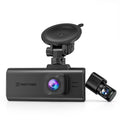
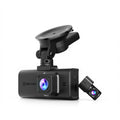

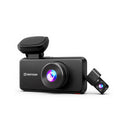


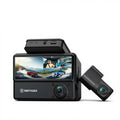


4G LTE Dash Cam vs Standard Dash Cam: Which One Do You Need?
|
|
Time to read 8 min

Help Center
Get help with setup, updates, and information

Track My Order
Check Your Package Tracking Status Online

Learn About Dash Cam
The Latest Dash Cam News and Information

Redtiger Player
Play the videos you've recorded on your PC

REDTIGER CAM APP
Download the Redtiger app and use it via a Wi-Fi connection
 Channel
 Sensor
 Video Resolution
 Display
 Lens Aperture
 HDR/WDR
 Wi-Fi
Wi-Fi
 Touch Screen Control
 Voice Control
 Parking Mode
 NiteGuard ™ Parking Mode
 Night vision capability
 GPS Logger
 G-sensor
 Loop Recording
 Storage
 CPL Supported
 Mounting Type (Default)
 Battery & Charging
 Working Temperature
We provide comprehensive pre-sales and after-sales service.

Redtiger offers free shipping on orders totaling $50 or more. We recommend purchasing shipping protection to safeguard your package and money.

Redtiger offers a 30-day money-back guarantee. You may contact us for a no-questions-asked return within 30 days of receiving your order.

Ordering a dashcam through the Redtiger official website entitles you to an additional 6-month extended warranty. This brings the total warranty period to 24 months.

Redtiger provides 24/7 customer service. You can contact us via email or call our customer service hotline directly.
No need to worry about after-sales service—we provide comprehensive after-sales support.
We offer free shipping on qualifying orders with no hidden fees or surprise charges.
Most orders are processed within 1–2 business days and shipped through trusted carriers to ensure safe and timely delivery.
You’ll receive tracking details as soon as your order ships, so you can follow it every step of the way.
From checkout to delivery, we make the process simple and worry-free.

Your satisfaction comes first. If you’re not completely happy with your purchase, you can request a return within 30 days of delivery.
Simply reach out to our support team and we’ll guide you through the process.
Once your item is received and inspected, your refund will be issued promptly according to our policy.
Shop with confidence knowing your purchase is protected.

We use industry-standard encryption and trusted payment providers to protect every transaction.
Your personal and payment information is securely processed and never stored or shared without authorization.
Multiple secure payment options are available for your convenience, so you can complete your purchase with total confidence.

Have a question? We’re here to help.
Our dedicated customer support team responds quickly and provides clear, helpful solutions — whether it’s product guidance, order updates, or after-sales support.
We’re committed to delivering a smooth experience before and after your purchase.
|
|
Time to read 8 min
Standard dash cams do a great job of recording your drive and providing evidence after an accident. However, when you want more protection and peace of mind—especially when your car is parked—4G LTE dash cams add an extra layer of connectivity and control. With LTE support, you can receive real-time alerts, view your car remotely, and store important footage in the cloud (depending on the model and subscription). At the same time, standard dash cams remain a simple and cost-effective solution for everyday recording without ongoing data fees or network setup.
In this guide, we'll break down the key differences between 4G LTE dash cams and standard dash cams to help you choose the right option based on your driving needs, budget, and usage habits.
Table of contents
Let's talk about what the dash cam with 4G LTE does differently and what you get with this type of camera to help you understand how it works.
A 4G LTE dash cam sends you video footage and alerts over a SIM/data connection, so you can check your car even if you are away.
Key points: Your device becomes more than a camera—it connects with a mobile data plan and an app on your phone. Think of it as having a simple phone for your car.
Typical LTE functions: With LTE, you get remote live view, automatic alerts when something happens, and you may store videos in the cloud.
Video quality: Keep in mind, LTE does not give you a better image. Its real value is letting you reach your camera anytime from anywhere.
Regular dash cams are very common and work well for many people. These cameras are easy to use and record what happens while you drive.
With a standard dash cam, all video files are saved to an SD card right inside your camera while you drive. You don't need the internet or a cell phone service; your video is safely stored on the memory card for later use.
You can transfer files over Wi-Fi, but only if you're close to your car. The dash cam's Wi-Fi doesn't work very far. You need to be close by to download any video. If your car is parked down the street, you can't access your videos until you return to it.
If you want proof for an accident or for insurance, these cameras are strong options. All moments are saved, and you can show clear videos of what happened. These videos can protect you from false blame and other drivers.
Your standard dash cam doesn't alert you if something happens while you're not close. If someone tries to mess with your car or something breaks, you are not told right away.
It's important to know that if someone steals your dash cam or takes the SD card, you lose the video. There are no other copies. If the card is damaged, all the evidence is gone.
You can pick the best one for you if you know the differences.
Feature |
Standard Camera |
4G LTE Dash Cam |
Remote Access |
Not possible (only when you are near the car) |
You can check from anywhere |
Alerts |
You see incidents when you check later |
You get alerts instantly on your phone |
Storage |
SD card only |
SD card with option for cloud saving |
Cost |
Only the one-time price |
Upfront price plus a monthly data fee |
Some people will get a lot of use out of a 4G LTE dash cam in their car, while others may not need all the extra features.
It is important to know that even the best 4G LTE dash cam comes with a few downsides or challenges you should be aware of before you buy.
Streaming video with live view uses a lot of data. If you check your camera often, you can quickly use up your data plan. Uploading clips only when something happens uses far less.
Your dash cam's LTE works as well as your phone's signal. If you leave your car in a basement or parking structure with poor cell service, you might lose the connection—and remote features will not work until the car has service again.
For your camera to keep working all the time, especially monitoring your parked car, it needs power. You should use a compatible hardwire kit with battery protection to reduce the risk of draining your car battery. Redtiger supports this setup when you use a compatible hardwire installation.
Picking a dash cam for yourself can be simple when you look for certain important details.
Choose a dash cam with network support that matches your region and service options. For example, the Redtiger VS10 uses a built-in 4G SIM card, so always confirm compatibility before you buy.
Find a model that lets you pick whether to upload every moment or only special events. Sending only events will stop you from running out of data too quickly.
Your camera should send you simple alerts for things like bumps, motion, or when a tow truck moves your car. Clear and separate alerts help you act fast.
You want to be able to save important videos to the cloud and get those files back with no trouble. Some insurance claims need the highest quality original videos, so easy file access is key.
Power management is important when you leave your dash cam on in parking mode. A good hardwired setup should include low-voltage protection so that your car battery stays protected while the camera keeps monitoring.
Everyone wants to pay less for their bills each month and still feel safe.
Check to see if your usual parking spots have a good signal before you rely on your dash cam. If you have a weak LTE signal, your camera might not work the way you want it to.
Set your dash cam to only upload videos of big events, like crashes or break-ins. Uploading less often means using a lot less data.
Many cameras let you lower the quality of the live view to save data. Keep the high-quality files on your SD card or download them when you really need a clear picture.
To avoid false alerts, check and set the motion/impact sensor. If you set your camera to a high setting, it might send you too many alerts, even for wind or passing trucks.
Try sending an alert yourself to see if your phone gets it. It's nice to know that alerts work before you really need them.
When choosing a dash cam, Redtiger offers both LTE-enabled and standard models depending on how you want to use your footage.
If you want remote access, real-time alerts, and optional cloud-based features, you should consider Redtiger LTE-capable dash cams such as the Redtiger VS10. These models are ideal for drivers who want to stay connected to their vehicle at all times.
If you mainly need reliable local recording with simple access via phone or Wi-Fi, then standard Redtiger dash cams are a better fit. They focus on stable video capture without ongoing LTE or cloud requirements.
Choosing between a 4G LTE dash cam and a standard dash cam depends on how much connectivity you need beyond basic recording.
If you only want reliable video evidence for driving incidents, a standard dash cam is often enough. It offers simple installation, local SD card storage, and no ongoing costs. If you want to stay connected to your vehicle at all times, receive instant alerts, and monitor your car remotely, a 4G LTE dash cam provides a more advanced level of protection. This is especially useful for street parking, rideshare drivers, or fleet management.
Redtiger's LTE-enabled and standard dash cams give you flexible options depending on your needs, helping you choose the right balance between simplicity and smart connectivity.
You need to be close to your dash cam to download footage over Wi-Fi. LTE lets you watch videos and get alerts from anywhere, even if you're not near your car.
Just like a regular dash cam, your dash cam will still save video to the SD card even if there is no internet. You won't be able to access it from a distance.
Yes, but you won't be able to use any of the cloud or remote features. It will only work as a normal dash cam, saving video to the card in your camera.
Yes, your LTE dash cam can quickly let you know if someone bumps or moves your parked car. If something happens, you'll know right away.
Usually, yes. LTE features need an active data service, although some models may include a trial or limited free data period before a paid plan is needed.


