


















Dash Cam Maintenance Tips for Long-Lasting Performance
|
|
Time to read 10 min

Help Center
Get help with setup, updates, and information

Track My Order
Check Your Package Tracking Status Online

Learn About Dash Cam
The Latest Dash Cam News and Information

Redtiger Player
Play the videos you've recorded on your PC

REDTIGER CAM APP
Download the Redtiger app and use it via a Wi-Fi connection
 Channel
 Sensor
 Video Resolution
 Display
 Lens Aperture
 HDR/WDR
 Wi-Fi
Wi-Fi
 Touch Screen Control
 Voice Control
 Parking Mode
 NiteGuard ™ Parking Mode
 Night vision capability
 GPS Logger
 G-sensor
 Loop Recording
 Storage
 CPL Supported
 Mounting Type (Default)
 Battery & Charging
 Working Temperature
We provide comprehensive pre-sales and after-sales service.

Redtiger offers free shipping on orders totaling $50 or more. We recommend purchasing shipping protection to safeguard your package and money.

Redtiger offers a 30-day money-back guarantee. You may contact us for a no-questions-asked return within 30 days of receiving your order.

Ordering a dashcam through the Redtiger official website entitles you to an additional 6-month extended warranty. This brings the total warranty period to 24 months.

Redtiger provides 24/7 customer service. You can contact us via email or call our customer service hotline directly.
No need to worry about after-sales service—we provide comprehensive after-sales support.
We offer free shipping on qualifying orders with no hidden fees or surprise charges.
Most orders are processed within 1–2 business days and shipped through trusted carriers to ensure safe and timely delivery.
You’ll receive tracking details as soon as your order ships, so you can follow it every step of the way.
From checkout to delivery, we make the process simple and worry-free.

Your satisfaction comes first. If you’re not completely happy with your purchase, you can request a return within 30 days of delivery.
Simply reach out to our support team and we’ll guide you through the process.
Once your item is received and inspected, your refund will be issued promptly according to our policy.
Shop with confidence knowing your purchase is protected.

We use industry-standard encryption and trusted payment providers to protect every transaction.
Your personal and payment information is securely processed and never stored or shared without authorization.
Multiple secure payment options are available for your convenience, so you can complete your purchase with total confidence.

Have a question? We’re here to help.
Our dedicated customer support team responds quickly and provides clear, helpful solutions — whether it’s product guidance, order updates, or after-sales support.
We’re committed to delivering a smooth experience before and after your purchase.
|
|
Time to read 10 min
Your dash cam is always ready to record what happens on the road when you drive. You need to do regular maintenance on your dash cam to keep it working well. Taking care of your camera will help it last longer and make recordings that are clear and reliable. This is especially helpful if you drive in the US, where the weather and road conditions can be very different from one state to the next.
Table of contents
To keep your dash cam working, you need to do a few simple things on a regular basis. It's not just one thing; it's a group of small things.
The most important thing for getting clear video is a clean lens. If there is dust, smudges, or dirt on the lens, your recordings may not be clear.
You should check your lens every day for any obvious dirt or smudges. A quick wipe can make a big difference. You can do it every week for a deeper clean. This habit will make sure your camera is always ready to take clear pictures of the road.
For your lens, always use a clean, soft microfiber cloth. These cloths are soft and won't hurt the delicate lens coating. Don't use paper towels or rough fabrics because they can hurt things for good. To get rid of smudges, move in a gentle circle.
A dry microfiber cloth is all you need for most cleanings. If the smudges won't come off, you can lightly wet the cloth with a lens cleaning solution. This guide on how to clean your camera lens will help you learn more about the right ways to do it.
The SD card in your dash cam is what stores all of the video files. For reliable recording, you need to take care of it properly.
When you format your SD card, all of the data is deleted and the file system is reset. This process fixes any mistakes that may have happened over time. It gives your dash cam a fresh start, which lowers the chance of it not recording.
Formatting your SD card at least once a month is a good idea. You can do this in the settings menu of your dash cam. This easy habit once a month will make your device much more reliable. Before you format the card, make sure you always back up any important videos.
Be careful with your SD card. Make sure the dash cam is off before you put it in or take it out. This stops the card or device from getting damaged or corrupted data. When the card is in place, you should hear a small click.
Be on the lookout for signs that your SD card might be breaking down. These could be error messages on the dash cam screen, recordings that are frozen, or video files that are missing. If you see any of these problems, you should replace the card right away so you don't lose any important footage.
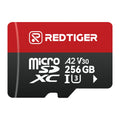
Always use a dash cam SD card that is made to last. These cards can handle being rewritten over and over again and very hot or cold temperatures. For smooth 4K recording, Redtiger dash cams work best with Class 10 U3 cards. This guide on how to format a micro SD card has all the information you need.
SD Card Feature |
Why It Matters for Your Dash Cam |
High Endurance |
Built to handle continuous recording and rewriting cycles, it lasts much longer than a standard SD card. |
U3 Speed Class |
Guarantees fast write speeds necessary for recording high-resolution 4K video without dropped frames. |
Wide Temperature Range |
Functions reliably in both extreme heat and freezing cold, perfect for a device left in a car. |
You need to take care of your dash cam's battery and power source, especially when the weather changes.
The inside of a car can get very hot in hot weather. This heat can hurt the battery inside your dash cam. Batteries can lose power quickly or not start up at all in cold weather. Instead of regular batteries, a lot of Redtiger dash cams use supercapacitors, which are more resistant to extreme temperatures and provide reliable power for safe shutdown and consistent operation.
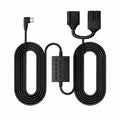
If your dash cam is hardwired for parking mode, it uses a little bit of power from your car's battery. Use a hardwire kit with low-voltage protection to keep it from draining your car battery. If the voltage of your car battery drops too low, this feature will automatically cut power to the dash cam.
If you leave your dash cam on in parking mode for a long time, it will probably run out of battery. This is especially true for batteries in older cars. It's important to know how much power your device uses. This article looks into the question, "Can a dash cam drain your battery?" to learn more.
If you plan to leave your car parked for a few days, it might be a good idea to take the dash cam out. This is an easy way to keep your car battery charged all the way. If you install a hardwire kit correctly, it should work fine every day.
A clean lens is just as important as a secure mount. If the mount is loose or vibrating, the footage may be shaky and unusable.
Use an alcohol wipe to clean the area around the windshield well before you put in your dash cam. This makes sure that the sticker sticks well. If your dash cam comes with a electrostatic sticker, place it on the glass first to protect the windshield and make repositioning easier. Put the mount somewhere that doesn't block your view of the road, like behind the rearview mirror.
After you stick the mount, press it hard against the glass for at least 30 seconds. This makes a strong connection. Check the mount every so often to make sure it is still tight and hasn't started to come loose. A good mount is important for recording video that doesn't shake.
You might need to move your dash cam to a different car or position from time to time. Be careful when taking off the sticker so you don't scratch your windshield. To make the glue less sticky before you peel it off, you can gently heat the sticker with a hair dryer. Go to this page for a full guide on how to remove a dash cam sticker.
You might find some sticky stuff on the glass after you take off the sticker. You can gently wipe it away with an adhesive remover or rubbing alcohol on a soft cloth. This gets the surface ready for a new sticker if you need one.
Thieves may find a dash cam to be an appealing item. Theft doesn't happen very often, but it's still a good idea to take some simple steps to keep your device safe.
When you can, park your car in a garage or other area that is well-lit. Thieves are less likely to steal cars that are easy to see. This is one of the easiest and most effective ways to stop people from doing something.
A professional can hide the power cables that run along the pillars and headliner of your car. If you can't see the cables, it's harder for someone outside to see the dash cam.
If your dash cam has a mount that comes off, you can easily take it with you. If you have to park in a strange place for a long time, this is a good habit to get into.
Putting your dash cam behind the rearview mirror makes it harder to see from outside the car. A stealthy placement can keep your car from being a target. You can learn more about this subject and find out if people really do steal dash cams.
You should change how you take care of your dash cam depending on the season. Drivers all over the US deal with a lot of different kinds of weather, and your camera needs to be ready for all of them.
Seasonal Task |
Summer (Hot Climates) |
Winter (Cold Climates) |
Coastal (Humid Climates) |
Primary Focus |
Overheating Prevention |
Battery Performance |
Corrosion and Film Prevention |
Key Action |
Use a sunshade. |
Check hardwire kit voltage protection. |
Clean the lens frequently. |
Device Choice |
Supercapacitor models are best. |
Models with wide temperature ranges. |
Any well-sealed model will work. |
One of the most important things you can do to keep your dash cam in good shape is to keep its software and firmware up to date.
The software that runs your dash cam is called firmware. Updates can make videos clearer, parking mode work better, or fix small bugs. Your device will work best if you check for new firmware every few months.
Your dash cam's image processing algorithms can be improved by a firmware update. This can make the video clearer and work better in low light. Updates can also make the device more stable, which means it is less likely to freeze or crash.
A lot of dash cams, like the ones from Redtiger, can connect to a smartphone app. Always keep your app up to date with the newest version. Sync the app with your dash cam on a regular basis to check for new firmware and to easily change your settings and videos.


