















4K or 60 FPS for Dash Cam: Which Should You Choose for Best Footage
|
|
Time to read 7 min

Help Center
Get help with setup, updates, and information

Track My Order
Check Your Package Tracking Status Online

Learn About Dash Cam
The Latest Dash Cam News and Information

Redtiger Player
Play the videos you've recorded on your PC

REDTIGER CAM APP
Download the Redtiger app and use it via a Wi-Fi connection
 Channel
 Sensor
 Video Resolution
 Display
 Lens Aperture
 HDR/WDR
 Wi-Fi
Wi-Fi
 Touch Screen Control
 Voice Control
 Parking Mode
 NiteGuard ™ Parking Mode
 Night vision capability
 GPS Logger
 G-sensor
 Loop Recording
 Storage
 CPL Supported
 Mounting Type (Default)
 Battery & Charging
 Working Temperature
We provide comprehensive pre-sales and after-sales service.

Redtiger offers free shipping on orders totaling $50 or more. We recommend purchasing shipping protection to safeguard your package and money.

Redtiger offers a 30-day money-back guarantee. You may contact us for a no-questions-asked return within 30 days of receiving your order.

Ordering a dashcam through the Redtiger official website entitles you to an additional 6-month extended warranty. This brings the total warranty period to 24 months.

Redtiger provides 24/7 customer service. You can contact us via email or call our customer service hotline directly.
No need to worry about after-sales service—we provide comprehensive after-sales support.
We offer free shipping on qualifying orders with no hidden fees or surprise charges.
Most orders are processed within 1–2 business days and shipped through trusted carriers to ensure safe and timely delivery.
You’ll receive tracking details as soon as your order ships, so you can follow it every step of the way.
From checkout to delivery, we make the process simple and worry-free.

Your satisfaction comes first. If you’re not completely happy with your purchase, you can request a return within 30 days of delivery.
Simply reach out to our support team and we’ll guide you through the process.
Once your item is received and inspected, your refund will be issued promptly according to our policy.
Shop with confidence knowing your purchase is protected.

We use industry-standard encryption and trusted payment providers to protect every transaction.
Your personal and payment information is securely processed and never stored or shared without authorization.
Multiple secure payment options are available for your convenience, so you can complete your purchase with total confidence.

Have a question? We’re here to help.
Our dedicated customer support team responds quickly and provides clear, helpful solutions — whether it’s product guidance, order updates, or after-sales support.
We’re committed to delivering a smooth experience before and after your purchase.
|
|
Time to read 7 min
When you add a dash cam to your car, you want it to give you clear video every time you drive. Your camera should pick up all the details, whether you are recording a long trip or need proof after an accident. The quality you get depends a lot on your settings, especially the choice between 4k or 60fps.
If you want videos that are easy to see and review, you need to know what sets resolution and frame rate apart. Both play a big part in how your dash cam records and how your footage looks afterward. Below you can read about what each one does.
Resolution is simply the total number of pixels—tiny dots of color—your camera uses in every video frame. The more pixels there are, the clearer the picture is. With higher resolution, you get videos that look sharper and more detailed. This helps you spot small things on the road.
Detail and Clarity: Higher resolution shows more tiny details. You can spot license plates, street names and signs without trouble. Your dash cam becomes very useful when you need evidence.
Zoom Capability: If you record in 4K, you can zoom into your saved footage and still see things clearly. This helps you pick out facts you might miss from a lower-resolution video.
When your camera records, it takes a number of still pictures every second. This is the frame rate and it is measured in FPS (frames per second). Higher FPS means your videos play more smoothly, showing realistic motion and fewer jerky movements.
Motion Smoothness: If your camera uses a high frame rate, the video looks fluid. This is useful when you have fast-moving cars or busy traffic. Your dash cam will catch smooth motion, not choppy scenes.
Capturing Fast Events: Higher FPS cuts down on blur when things happen quickly. If you experience a sudden event in traffic, you can review every split second much more easily.
Feature |
Description |
Best For |
Resolution |
Number of pixels per frame, giving you image clarity and sharpness. Options are 1080p, 2K and 4K. |
Reading plates, road signs and getting small details |
Frame Rate |
How many frames your dash cam records each second. Typical choices are 30fps or 60fps. |
Fast-moving events, smoother video with less blur |
Your dash cam is more than just a camera in your car. When you have a camera set to high resolution, you get better results in many ways.
When things do not go as planned on the road, you want your dash cam to show clear proof. With high resolution, you get sharp videos that show everything clearly. You can easily see license plates, traffic signs and what other drivers do. This gives you more confidence if you need to show the footage.
With good resolution, your dash cam will help you see the world outside your car clearly. It makes it easier to spot street names, road risks or even spot car models in the distance. These small details can come in handy for lots of reasons, both for your safety and your everyday driving.
If you drive at night, you know clear videos matter even more. Redtiger dash cams with 4K sensors can pick up more light and small details when it is dark. This gives your footage a clear and bright look, so you know what really happened—day or night. For a deeper comparison of video quality, check out our guide on Best Resolution for Dash Cam.
When you set up your dash cam, you might think resolution is all that matters. But frame rate plays a big part too. How many frames your camera captures each second can change how useful your video is.
A higher FPS lets your videos play smoothly, almost like you are seeing everything in person. With higher frame rate, movement looks natural. This helps when you drive in heavy traffic or when things are happening fast around your car because you can follow everything more easily.
If a car drives past quickly or something happens fast, your dash cam will catch it better with higher FPS. Fast actions stay crisp, not blurry. This can make sure you do not miss any small but important detail in a fast-moving scene.
For most drivers, higher FPS (frames per second) is better if you want smoother playback and more detail in fast-moving situations. Whether you choose 30 FPS or 60 FPS depends on your needs. 30fps is good for everyday driving, and a lot of dash cams use it. 60fps is a good choice if you want fast speeds. It makes things play back smoothly and gives more detail about quick events.
Frame Rate |
Pros |
Cons |
30 FPS |
Less storage needed, works well for regular driving |
More blur if things happen very quickly |
60 FPS |
Smooth video, less missing detail when fast things happen |
Uses more space, video might have lower resolution |
When you shop for a new dash cam, you'll notice that most brands use a few different video settings. These are common because they let you get good video without overloading your hardware.
High-end dash cams show 4k at 30 frames per second or 4k at 60 frames per second. Most high-resolution models choose 30 frames per second (fps) because it works well with the system without slowing it down. At 4K, most cameras can only do 30 frames per second, so you have to choose between more detail and more frames.
If you want to see movement, a lot of dash cams record at high FPS but lower the video quality, usually to 2K or 1080p. This makes the video smooth at 60 frames per second, which is great if you need clear footage when cars are going fast near you.
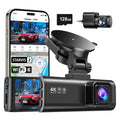
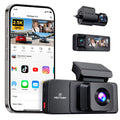
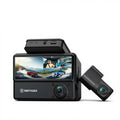
You can set what matters most to you on some dash cams. One example of this kind of camera is the Redtiger F77. You can choose 4K with 30 frames per second for a lot of detail. You can also choose 2.5K with 60fps for smoother video. You don't have to give up sharp video for smooth movement; you can choose what works best for you every time you go out.
Think about what you need most in a dash cam if you want to make the right choice. Do you want the smoothest motion or do you need to see every little thing on the road?
If you drive where there are a lot of cars, signs, or other things you might want to look at later, you should set your dash cam to high resolution. If something goes wrong, being able to read plates or see what someone is doing in detail can help. When you need everything to be perfectly clear, 4K is the best choice.
If you spend a lot of time on highways or take trips where cars go by quickly, 60fps can make a big difference. Videos are very smooth, so you can see changes in traffic or road activity as they happen. This choice is good for anyone who likes movement and quick details the most.
If you're not sure whether higher or lower fps is better, think about the roads you drive on and what works best for you. You can switch between these settings on Redtiger dash cams. You can always get the right kind of recording for your trip this way, and you won't be stuck with just one option.
Choosing the best dash cam setting means deciding between detail and smoothness. If you want to read small text and see detailed proof, go for 4K. Choose 60fps for roads that move quickly or when you want your video to look like real life. You only get one dash cam with many of them. But Redtiger dash cams give you both. You can trust your dash cam to record clear, sharp video or video that is smooth as butter. Check out Redtiger's selection of dash cams to find the one that will give your car the best record.
You can’t choose one as the best for everything. 4K makes images clear and helps you see small things like license plates. 60fps records all the action with smooth movement and less blur when things move quickly. First, think about whether details or motion are more important to you.
If you drive a lot, 30fps will work and save you space. But if you want to see fast events with clearer images, 60fps is the better choice. It makes videos look smoother and helps you understand what happened in a split second.
When things speed up, 60fps keeps the video clear and smooth. Most cameras can handle 1080p better, so if your dash cam can do 60fps, that will usually give you the clearest picture.
